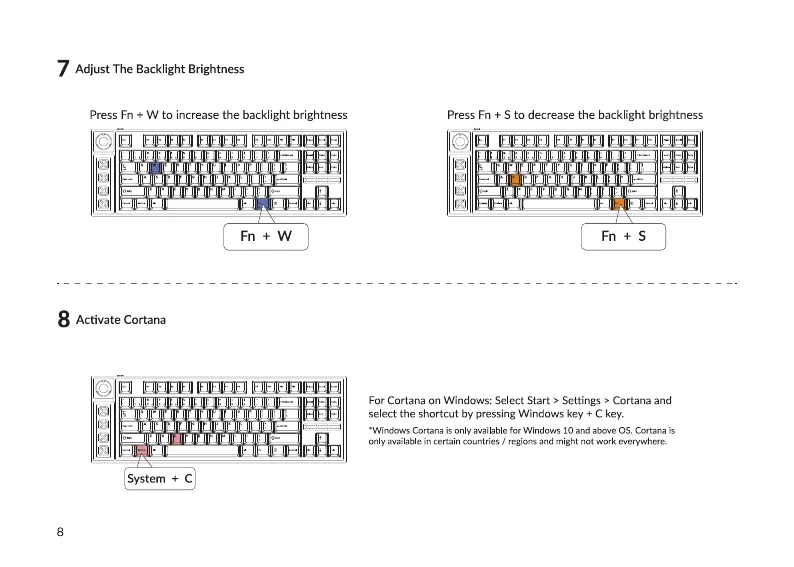
7 AdjustTheBacklightBrightness
Press Fn + W to increase the backlight brightness
Fri + W
8 Activate Cortana
System + C
Press Fn + S to decrease the backlight brightness
Fn+S
For Cortana on Windows: Select Start > Settings > Cortana and
select the shortcut by pressing Windows key + C key.
•Windows Cortana is only available for Windows 10 and above OS_ Cortana is
only available in certain countries / regions and might not work everywhere.


 To Next Page