Program Tracks
Program tracks of disc are possible when playback is stopped. Up to 32 tracks can be stored in the memory
in any order.
1.
In stop mode, press
the
CLK.ADJ/
PROG
.
/P
-MODE/FILE +10 button to enter program setting, the
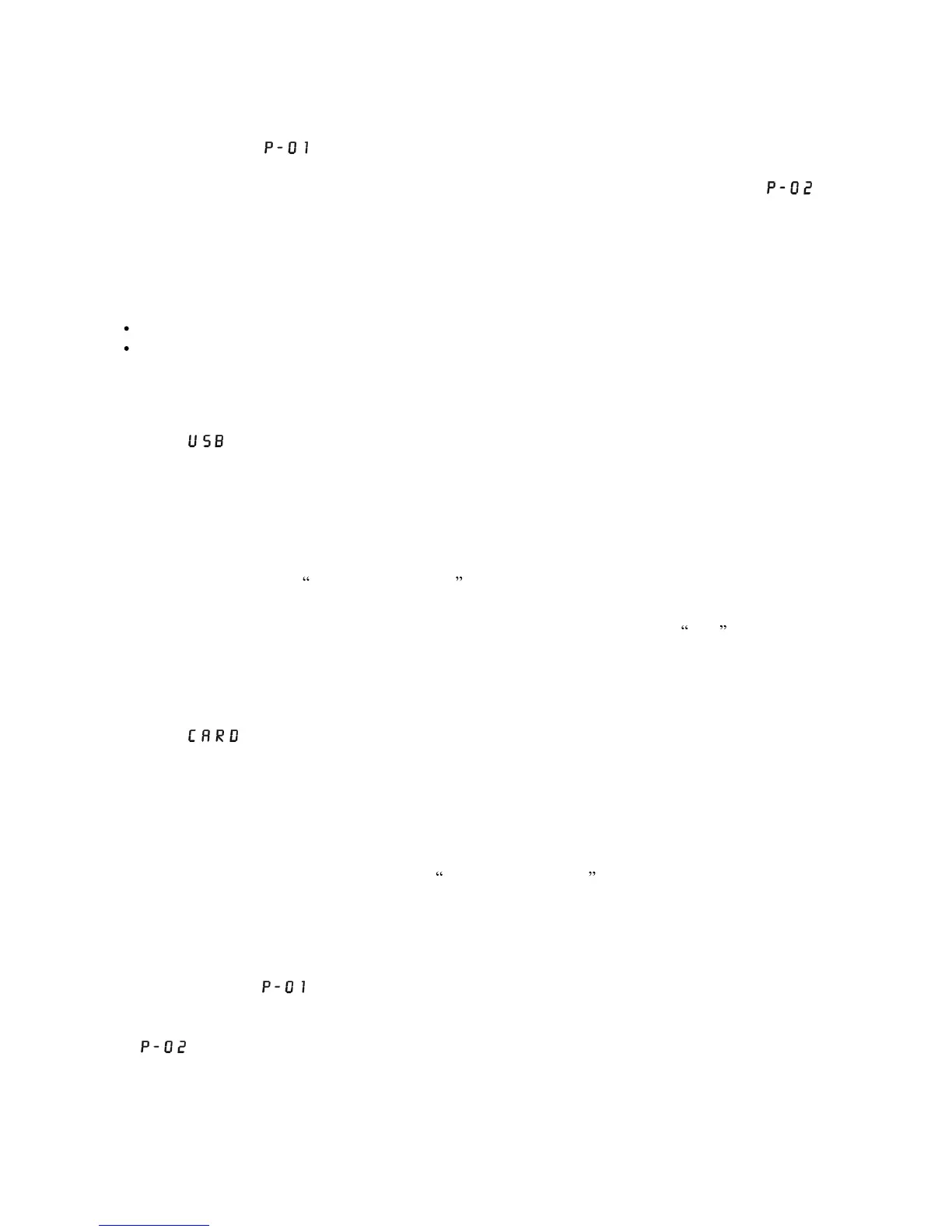
display will show
.
the
PROGRAM
indicator will flash.
2.
Press
the
F.REV
or
F.FWD
button to select the first desired track to be programmed.
3.
Press
the
CLK.ADJ/
PROG
.
/P
-
MODE/FILE +10
button to enter. The display
changes to
show
.
4.
Repeat steps 2 & 3 to store other desired tracks until all tracks programmed.
5.
Press the
PLAY/PAUSE
button to start playback from the first programmed track. the
PROGRAM
indicator will light up.
6.
Press
the
STOP
button to stop program playback.
To Erase the Memory (Program)
To clear the program, you have two options:
Press
STOP
button until
the
PROG
RAM
indicator tur
ns off ,
or
Open the CD compartment lid, program will be erased.
Listening To
USB/SD/MMC
Card
USB Playback
1.
Press the
FUNCT
ION
button until the
FUNCTION
indicator turns on
yellow
to enter
USB
playing
mode
.
shown on display.
2.
Connect the USB to the USB INPUT. The LCD will display total number of tracks stored inside the
USB.
3.
Press the
PLAY/PAUSE
button to start playing. Press the
PLAY/PAUSE
button once again to
temporarily stop. The track number will flash.
4.
Press the
STOP
button to stop playing. The display
will show total number of tracks.
5.
Proceed repeat play (repeat 1-repeat all)/program play/random play/skip up and down operation as the
same described in above
USING THE CD/MP3 .
SD/MMC
Card Installation And Remove
Press the card towards the SD/MMC CARD slot, when the installation is well done, a
click
sound will be
heard. To remove the SD/MMC card, press the card gently the card will flick out. Now you can remove the
card out of the card slot.
SD/MMC
Card Playback
1.
Press the
FUNCTION
button until the
FUN
CTION indicator turns on
green
to enter
CARD
playing
mode.
shown on display.
2.
Connect the SD/MMC card to the SD/MMC CARD input slot. The LCD will display total number of
tracks stored inside the card.
3.
Press the
PLAY/PAUSE
button to start playing. Press th
e
PLAY/PAUSE
button once again to
temporarily stop. The track number will flash.
4.
Press the
STOP
button to stop playing. The display will show total number of tracks.
5.
Proceed repeat play (repeat 1-repeat all-repeat folder)/program play/random play/skip up and down
operation follow the steps described in above
USING THE CD/MP3 .
Program Tracks On
USB
Program tracks of disc are possible when playback is stopped. Up to 32 tracks can be stored in the memory
in any order.
1.
In stop mode, press
the
CLK.ADJ/
PROG
.
/P
-MODE/FILE +10 button to enter program setting, the
display will show
.
the PROGRAM indicator will flash.
2.
Press
the
F.REV
or
F.FWD
button to select the first desired track to be programmed.
3.
Press
the
CLK ADJ/
PROGRAM/P
-MODE/FILE +10 button to enter. The di
splay
changes to
show
.
4.
Repeat steps 2 & 3 to store other desired tracks until all tracks programmed.
5.
Press the
PLAY/PAUSE
button to start playback from the first programmed track. the
PROGRAM
indicator will light up.
6.
Press
the
STOP
button to stop program
playback.
Note: Switch the unit to SD playing mode, follow the above steps to proceed PROGRAM TRACKS ON
SD/MMC CARD.



 To Next Page