19
7.3 Search
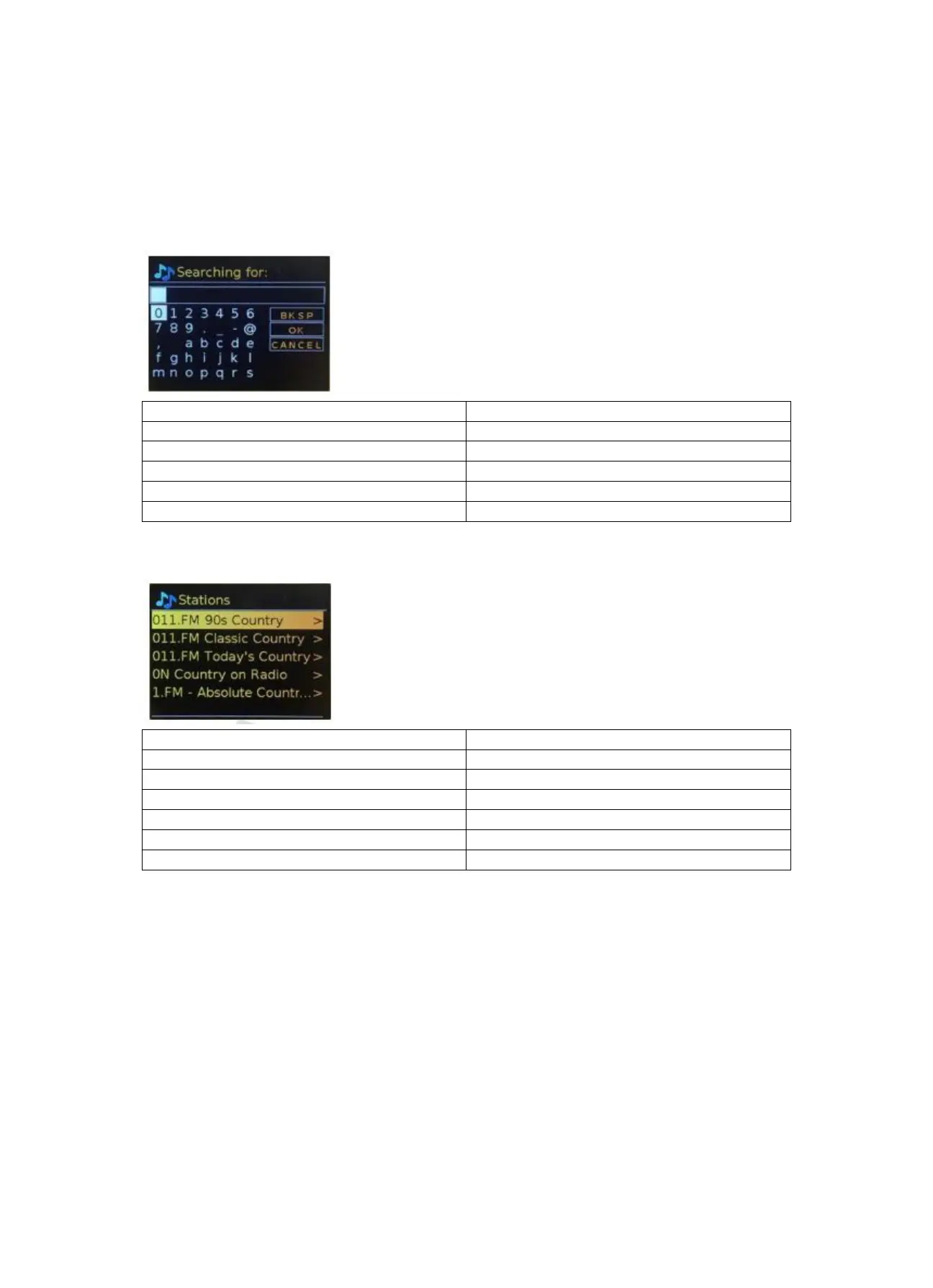
You can also search through Internet broadcasts for stations with particular keywords in their title.
To search, select Menu > Station list > Search. Enter a keyword by selecting characters in turn, then
OK. The search entry screens are similar in operation to the Wi-Fi passphrase entry screen.
0123456789._-@,abcdefghijklmnopqrs
0123456789._-@,abcdefghijklmnopqrs
Select a broadcast from the list.
7.4 Location
To select an Internet broadcast from a particular location, select Menu > Station list > Location >.
Select a continent from the menu and a list of countries available is presented, select a country and
the available internet radio stations are presented. Choose a radio station from the list to tune to
that station.
7.5 Popular
Presents a list of the most popular internet stations from around the world.



 To Next Page