11
Network configuration
1. Standard network configuration
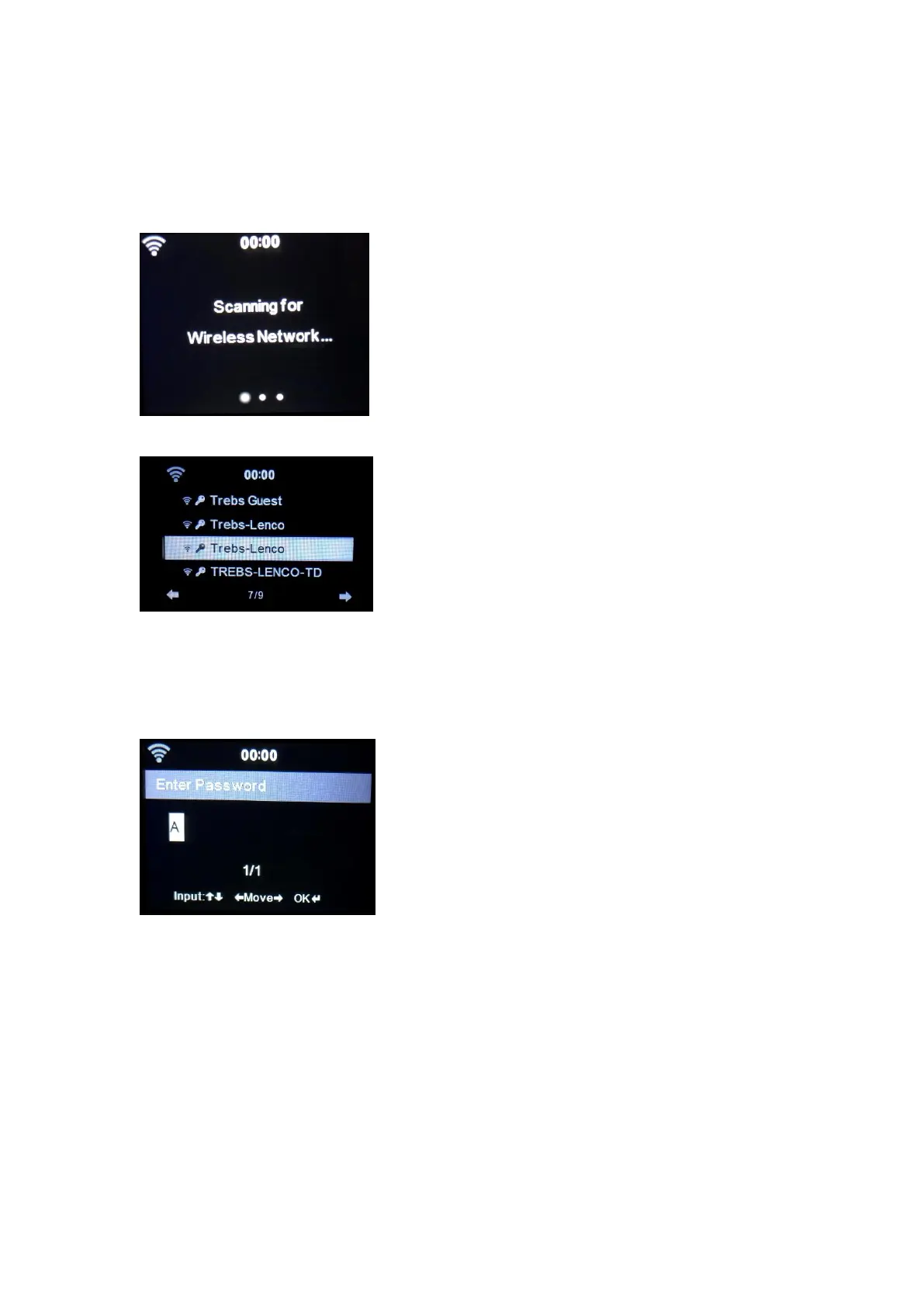
After selecting this option the DIR-170 will scan for available WIFI networks.
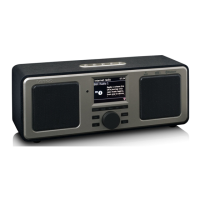
The display will show the networks it found.
Select your WIFI network by turning the Navigation/OK (6) wheel and confirm by pressing the
Navigation/OK (6) wheel.
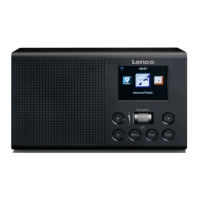
If your selected WIFI network requires a password, you can enter it in the next screen.
Enter your password by pressing the numeric keys(2) on the remote control, followed by the
Navigation right(5) button (NOTE: you have to press the navigation right(5) after every
character).
To make a correction, press the Navigation Left(4) to go backwards and delete the last character
at the same time. When the password is completed, press the OK(7) button to confirm.



 To Next Page