31
• Station order
Allow you to rearrange the order of the DAB+ station list to be
either Alphanumeric, Ensemble or Valid.
Ensemble lists groups of stations that are broadcasted together
on the same ensemble. Valid lists and valid stations first,
alphanumerically, then off-air stations.
5.8
5.8
5.8
5.8 FM
FM
FM
FM
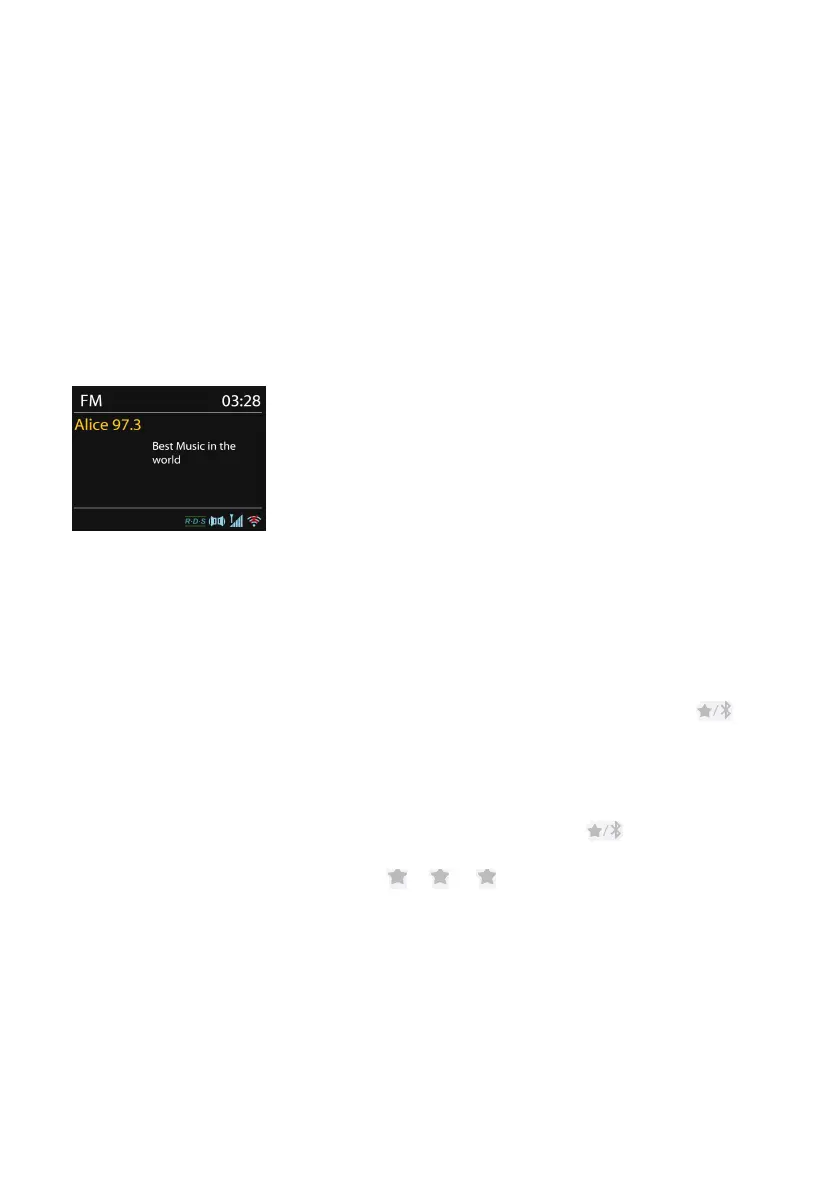
FM radio mode receives analogue radio from the FM band and displays RDS
(Radio Data System) information about the station and broadcast's location.
To
search for a station, press OK
OK
OK
OK . The frequency display starts to run up as the
device scans the FM band. Alternatively, you can scan up or down by pressing
and holding the buttons TUNING- or TUNING+ on the device .
5.8.1 Preset
To
store a FM preset, press and hold PRESET on the device or on
the remote control until the display shows the Save preset screen by
pressing the OK key for a longer time. Select one of the 10 presets to
save the currently playing station.
To
select a preset, press PRESET on the device or on the remote
control, then select one of the listed preset stations. When a preset
station is playing, it shows
n
( 1, 2 etc.) at the bottom of the
screen.
You can store up to 10 of your favorite stations to the memory. This
will enable you to access your favorite stations 0-9 quickly and easily
by using the numbered buttons on the remote control.



 To Next Page