8
No.
No.
No.
No. Description
Description
Description
Description Functions
Functions
Functions
Functions
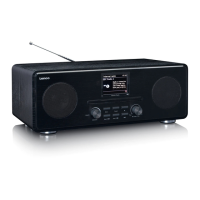
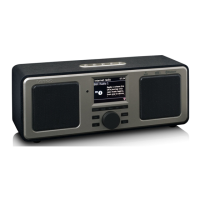
1 3.2 ” TFT Screen Color display
2 Buttons and Controls Standby/Mode
Menu/Info
Tuning- : FM Tuning- / Downward selection
on the sub-menu
Tuning+ : FM Tuning+ / Upward selection
on the sub-menu
Preset
Back
Reel: Volume and Navigate and press to OK
3 Antenna Rod antenna
4 On/Off switch Power On/off
5 Earphone socket 3.5mm socket for earphone connection
6 Line In 3.5mm socket for line in
7 Line Out 3.5mm socket for line out
8 DC IN Power supply
9 SPDIF OUT SPDIF socket for audio in connection to
Hi-Fi system
10 USB port Plug the USB drive , portable hard disk or
MP3 p layer for music playback
Remote
Remote
Remote
Remote Control
Control
Control
Control
Open the battery compartment of the remote control. Insert a CR2025 type
3V battery. Make sure the positive (+) sign of the battery is facing up. Close
the battery compartment cover.
Caution
Caution
Caution
Caution : Improper or incorrect use of batteries may cause corrosion or
battery leakage, which could cause fire, personal injury or damage to
property.



 To Next Page