18
the DIR-250. (It is not required to control each playback on the DIR-250)
● The PC system requirement for DLNA is Windows 7 and Windows Media Player 12. Setup as
below:
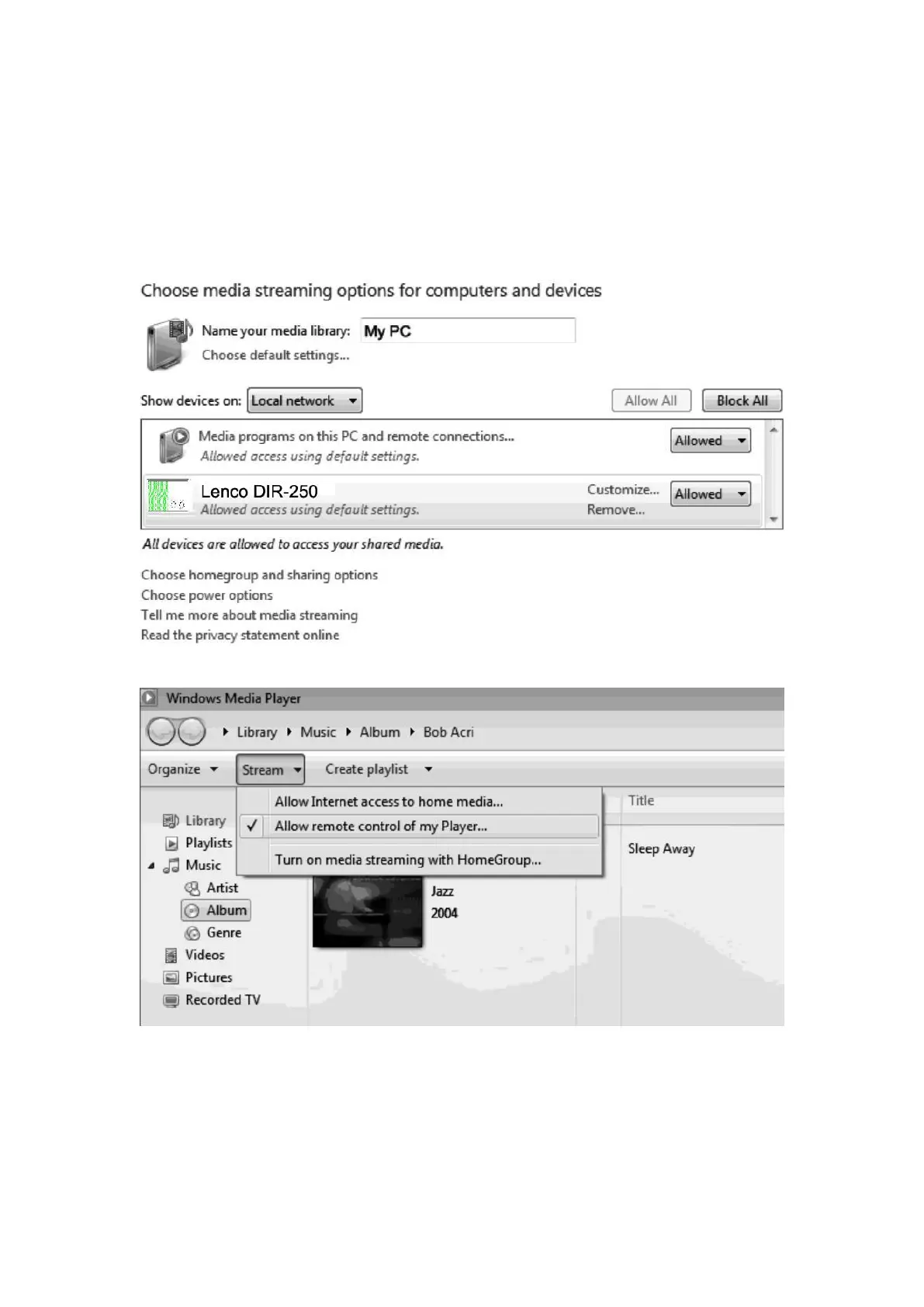
Firstly, share the media on your PC to DIR-250.
Control Panel > Network and Internet
〉
Network and sharing COK > Media streaming
options
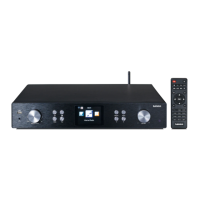
Open Windows Media Player to enable allow remote control of tried player.
Right click any music in the library and choose Play to Lenco DIR-250.


 To Next Page