5
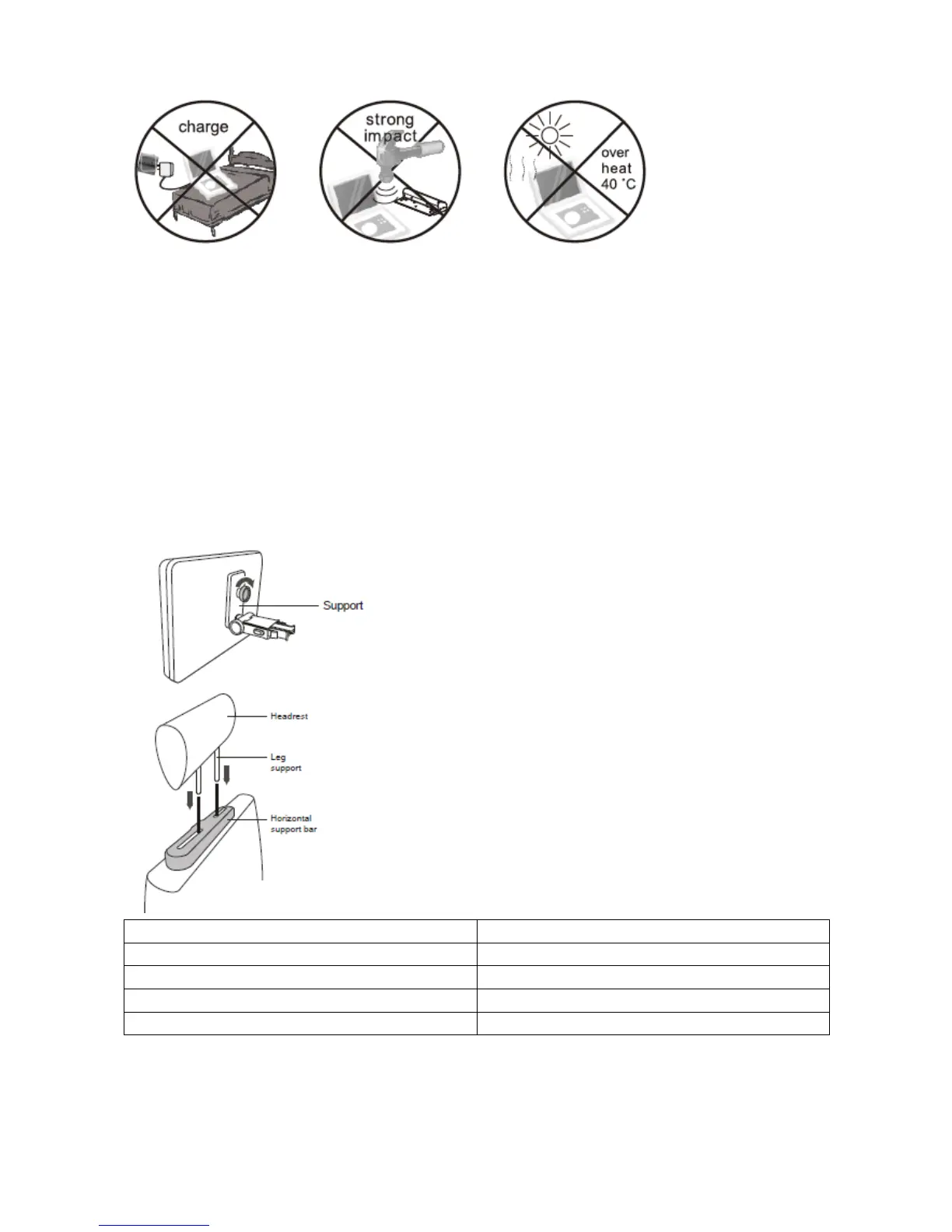
charge
strongimpact
overheat40°C
MountingtheDVDinaCar
UsethesuppliedmountingkittoinstalltheDVDplayersonthebackofthevehicle’ sheadrests.
1. Align the angledsupport’s bolt to the screwholeonthebackof theDVD unit. Turntheboltclockwiseand
secure
thesupport.
2. Lifttheheadrestoffitslegsupports.Alignthehorizontalsupportwiththeheadrestlegslotsandensurethe
horizontalsupportrestssecurelyonthetopofthecarseat.Reattachtheheadrest.
EN EN
Support Support
Headrest Headrest
Legsupport Legsupport
Horizontalsupportbar Horizontalsupportbar
3. Grip the DVD firmly with both hands and slot theangled support firmly into the support bar. It willclick.
Ensuretheentireunitissecure.


 To Next Page