7
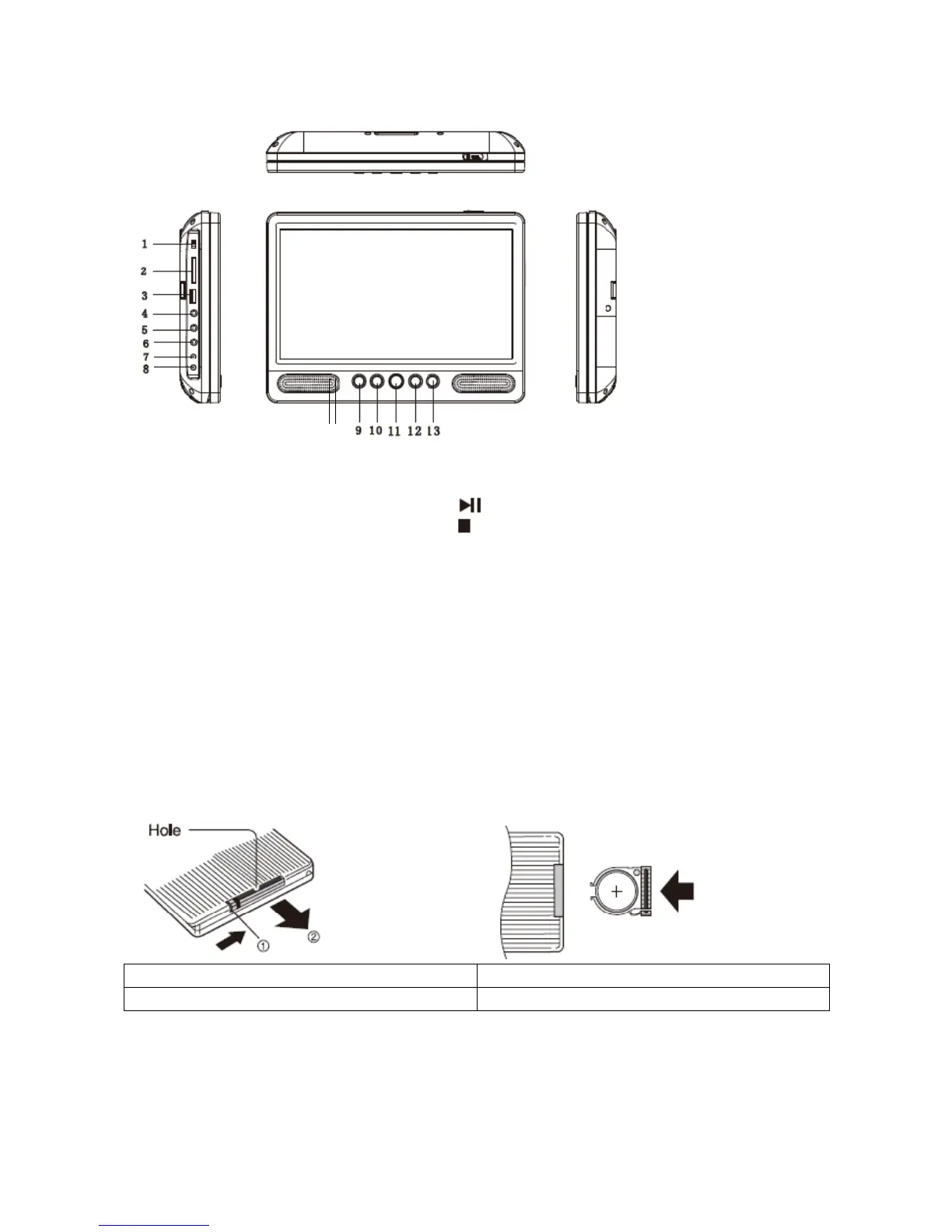
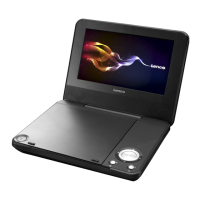
Idenficaon of Controls
1. POWER ON/OFF
2. CARD SLOT
3. USB
4. HEADPHONE OUT JACKS
5. AV OUT
6. AV IN
7. DC OUT
8. DC IN 9-12V
9. UP/Prev/VOL-
10. DOWN/Next/VOL+
11. SOURCE
12. (PLAY/PAUSE)
13.
14. Baery Charging Indicator
Illuminates green flashing when the baery is charging.
Illuminates green when the baery is fully charged.
15. Power Indicator
Illuminates red when the unit is switched on.
STOP
Insert the baery
1. Open the baery door
2. Insert baery.
EN EN
Hole Hole
When using the remote control for the first me, do not forget to remove the plasc card.
NOTES:Remove baery during storage or when you are not using the DVD player for a long me.
WARNING
Do not ingest the baery, Chemical Burn Hazard (The remote control supplied with) This product contains a
15 14



 To Next Page