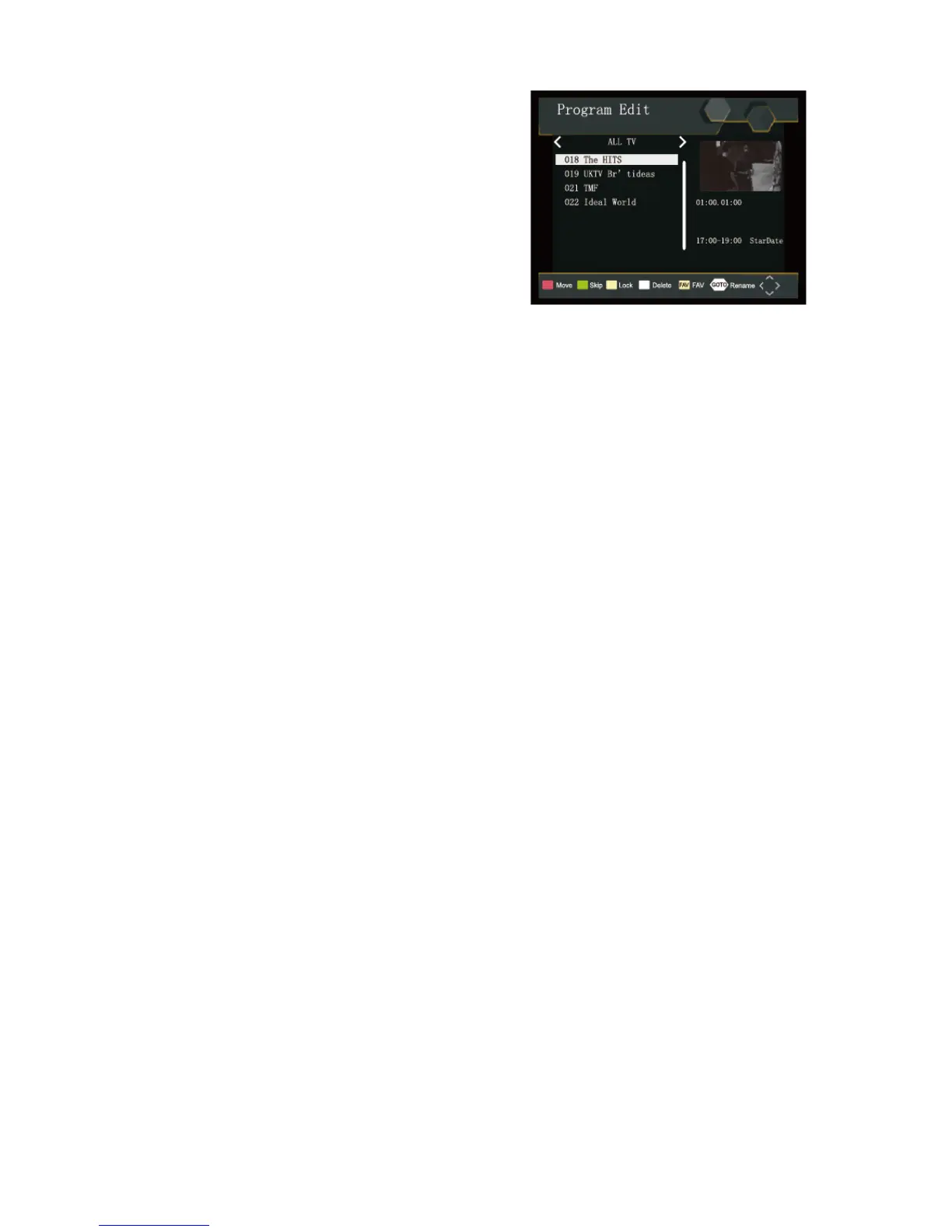
Program Edit
To edit your program preferences (lock, skip, favourite,
move or delete), you will need to enter the Program Edit
Menu. This Menu requires a password to access. Enter the
default password '000000'.
First Time Installation
Set Favourite Program/s
You can create a shortlist of favourite programs that you can easily access. Set Favourite TV or Radio
program:
1. Select the preferred program then press the FAVOURITE button. A heart-shaped symbol will appear and
the program is marked as a favourite.
2. Repeat the previous step to select more Favourite programs.
3. To confirm and exit the Menu, press the EXIT key.
Disable Favourite TV or Radio Program:
Press the FAV button on the Remote Control with the heart-shaped symbol.
View Favourite Programs:
1. Press the Fav button and the Favourite Menu will appear.
2. Press UP/DOWN to select your Favourite Programs.
3. Press OK to select your favourite program.
Delete a TV or Radio Program/s
1. Select the Program and then press the BLUE button A message will appear. Press OK to delete the
program.
2. Repeat the previous step to select more programs to delete.
Skip TV or Radio Program/s
1. Select the program you would like to skip and press the GREEN button A skip symbol is displayed.
The program is marked as a skip.
2. Repeat the previous step to select more programs.
3. To confirm and exit the menu, press EXIT key.
Disable a skip TV or Radio Program:
Press the GREEN button on the skip program with the skip symbol.


 To Next Page