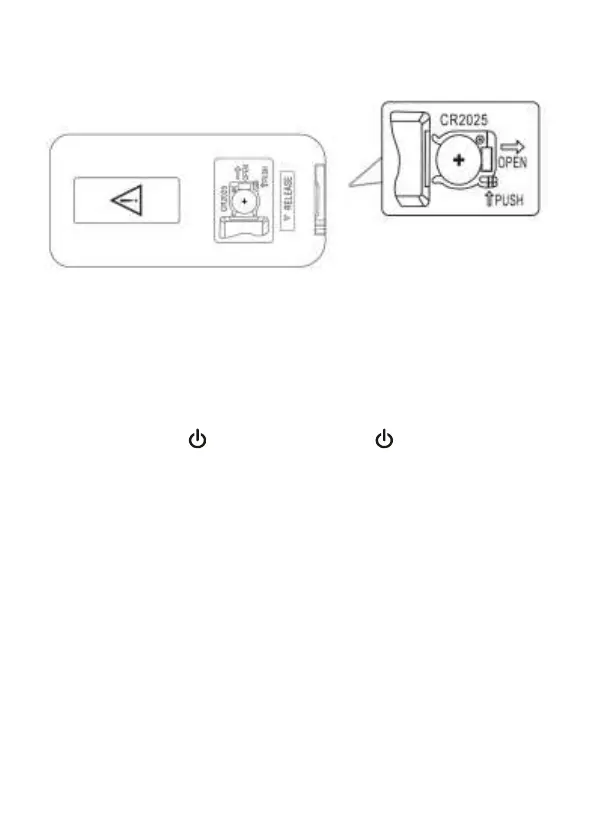
Remote Batteries
Remote control: requires 1 CR2025 button cell type battery
(included).
Get Started:
1: Make sure you have made all the necessary cable
connections before connecting the Soundbar to a wall
outlet, the soundbar will enter to standby mode, the
indicator will light up in red.
2: Short press /SOURCE on unit or on remote
control to turn on the soundbar. The indicator of the last
used mode will light up.
3: Press the source button on unit or Remote Control to
choose various source. The color of the indicator light
will change as per selection.
Note: The Soundbar will re-enter the Standby Mode
again if there is no operation for 15 minutes.
Bluetooth Pairing:
1: Press the Bluetooth button on the Remote control to
enter the Bluetooth mode. You can also short press the
Source button on the Soundbar to choose the Bluetooth
Source.
2: The indicator light will flash in blue.



 To Next Page