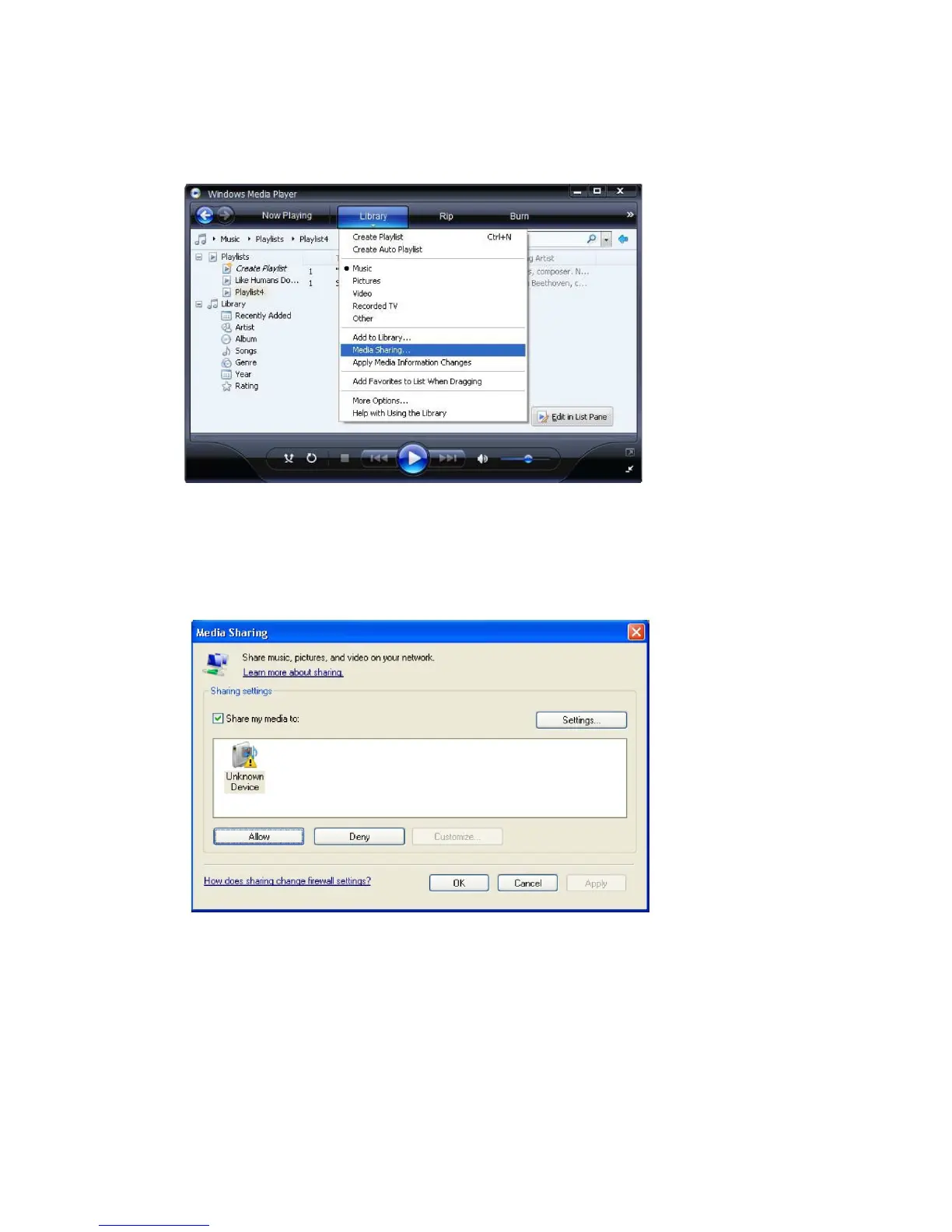
Selecting ‘Media Sharing…’ for Windows Media Player11 :
5. From the ‘Media Sharing’ windows, the radio will be listed as an unknown device. Click on the
unknown device listed, then click the ‘Allow’ button and then click ‘OK’.
Allowing the Radio to Connect:
Note: When the media is playing, you are able to change the mode of playback via selecting
Media Player/Playback Mode.
- 11 -



 To Next Page