- 9 -
Cartridge Replacement
1. Before replacement, put the stylus protector back on the stylus to prevent damage to the stylus during the
replacement process.
2. Carefully remove the wire leads from the original cartridge.
3. Loosen the two screws on the headshell that are securing the cartridge and then remove the original
cartridge.
4. Mount the new cartridge to the headshell and tighten it lightly. Do not completely tighten the screws at this
moment.
5. Connect the wire leads to the new cartridge’s terminals. The wire lead color are as below:
6. Adjust the cartridge’s position to make sure it is precisely aligned on the headshell so that the stylus will be
tracking the grooves in parallel perfectly.
To achieve this, place the included paper cartridge alignment protractor over the turntable spindle, carefully lift
the tone arm and place the tip of the stylus on the points marked 130mm and 250mm respectively. Fine tune the
cartridge’s position on the headshell until the cartridge is perfectly in parallel with the reference lines at both
posits.
7. Tighten the screws completely once the perfect alignment is achieved.
Specifications
Main Unit
AC power adaptor, DC output 15V 2400mA
Turntable Dimensions (W X H X D)
418 X 123 X 346 mm, with lid open 420 X 410 X 420 mm
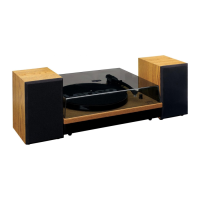
Speaker Dimensions (W X H X D)



 To Next Page