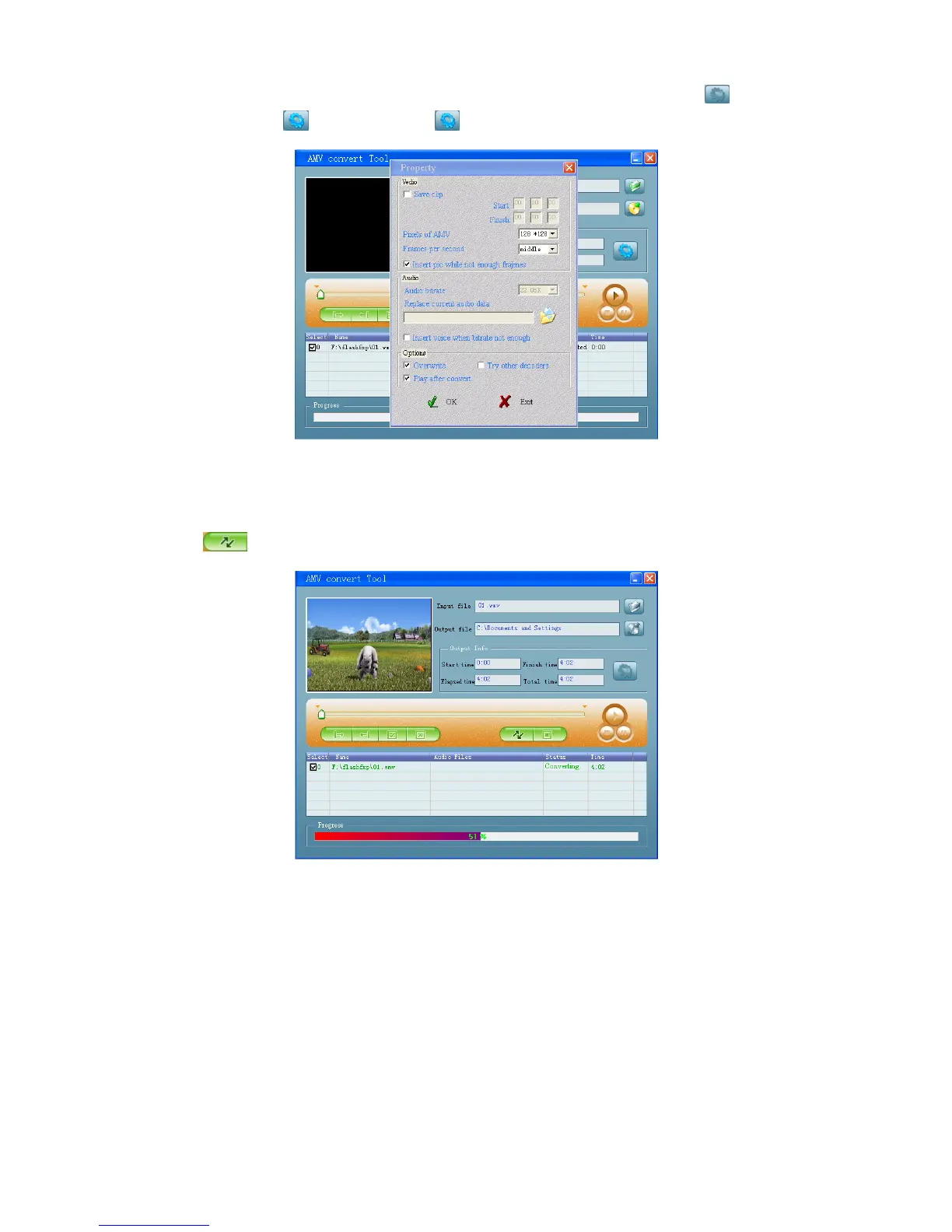
Select with highlight the unprocessed AMV files in the file window, the icon will be
highlighted into . And then click icon and a dialog box will be shown.
Choosing pixels of AMV to “160x120” and Frames per second to “middle”, then click
OK to confirm.
Click to start converting.
After conversion, the AMV files will play automatically for preview.
And now the converted AMV file is ready to transfer, you can simply copy and place
those converted AMV files to the media player.
Note: Only pixels in 160x120 can be supported.
12. Use Record Menu
You can use the player as a Voice Recorder and recording voice memos using the
built-in microphone.



 To Next Page