6
Important:
Since the sensitive circuitry may cause interference to a radio tuner nearby, switch this unit off while
operatingotherradiodevices.
DuetothecomplexityoftheMCUcontrol,pleaseun‐plugthemainpowersupplyoftheunitiftheunit
stopsduringoperation!Thisisnotamalfunction
ofthesystem!
Precautionsforuse
Installation
• Unpackallpartsandremoveprotectivematerial.
• Do not connect the unit to the mains before checking the main voltage and before all other
connectionshavebeenmade.
• Donotcoveranyventsandmakesurethatthereisaspaceofseveralcentimeters aroundtheunit
for
ventilation.
Connection
1. ConnecttheDCplugoftheincludedAC/DCadaptortoDCjack(22)thentheAC/DCadaptorconnect
totheACoutlet.
2. Whenyoufirstplugtheunitintothemains,theunitwillgointostandbymode.TheStandbyLEDwill
lightup
3. Turnontheunit
bypressing“On/Standby”button(17).IftheLCDdisplay(8)isonwithbacklighting,it
meansthepowersupplyisnormal.Nowthesystemisreadytoplaythemusic.
DCconnection
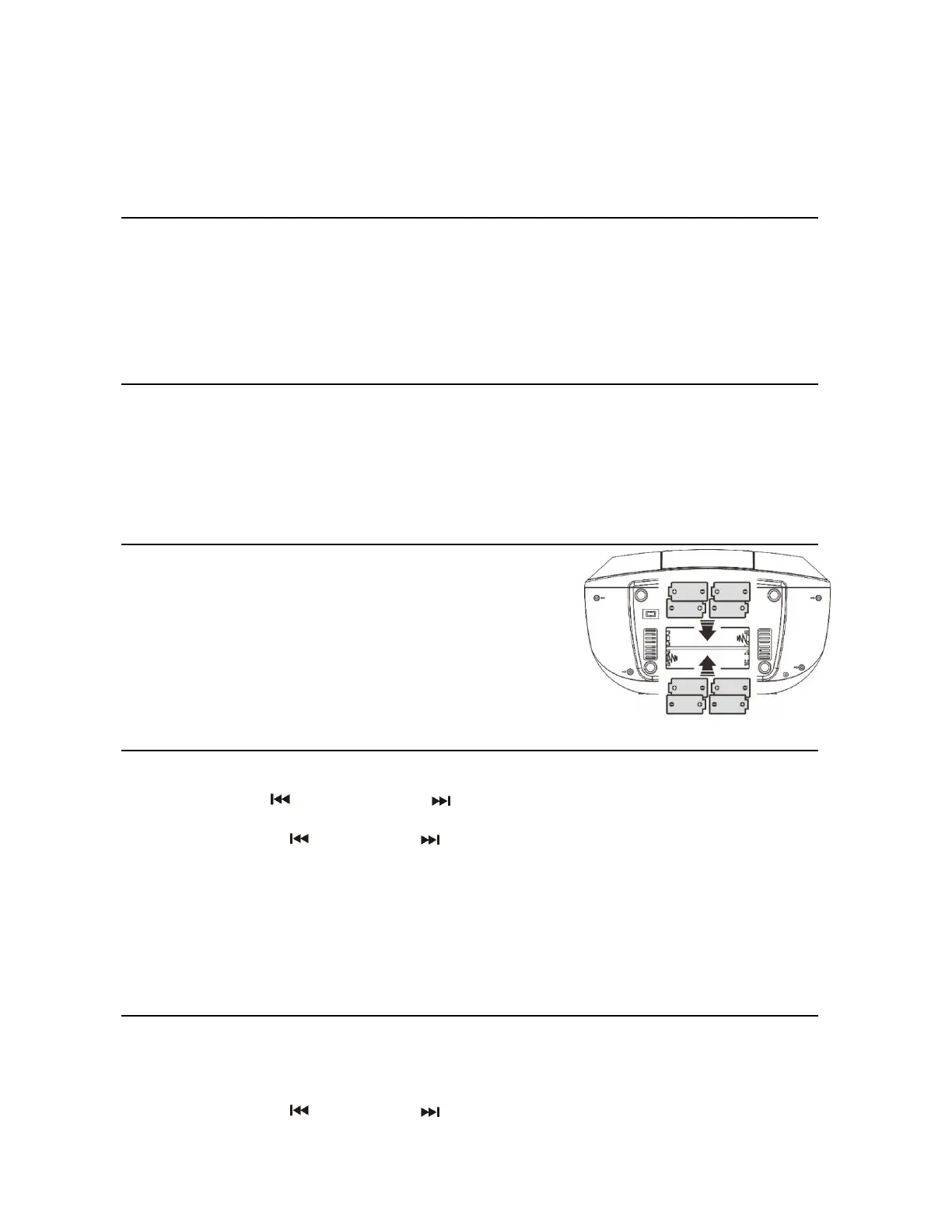
ForDCoperation,pleaseinsert8pcssizeC(UM‐2)batteriesintothe
battery compartment and remove the AC plug from AC the outlet
thendisconnecttheACcordfromtheACsocket.
PleaseremoveanybatteriesfromtheunitwhilstusingDCpower
supply.Itisrecommendedtoremove
anybatteriesfromtheunitif
unitwillnotbeusedforaperiodoftime.
Settingtheclock
1. Settheunittostandbymode.
2. Pressandholdthe“Menu/Mem/clk‐adj”button(12),thehourdigitwillflashonLCDdisplay(8)Press
the Skip down(11) or Skip up(19) button to set the correct hour. Press the
“Menu/Mem/clk‐adj”button(12)tostorethehourthen
theminutedigitwillflash.
3. PresstheSkipdown(11)orSkipup(19)buttontosetthecorrectminutes.
4. Press“Menu/Mem/Menu/clk‐adj”button(12)tostorethecorrecthour.
The preset time will be reset completely if disconnecting the main power supply. You are
recommendedto
switchthesystemintostandbymodeforconvenientuse.
The clock will synchronize to RDS/DAB clock once receiving theRDS/DAB signal if the clockwas
notsetinadvance.
Listeningtoradio
Operation
Manualtuning
1. TurnontheunitbyOn/Offbutton(17)andthenpresstheFunctionbutton(9)untilitreachesthe“FM”
mode.
2. PresstheSkipdown(11)orSkipup(19)buttontotuneyourdesiredstation.
3. Adjustvolumeup/downbutton(14)forthedesiredvolume
level.


 To Next Page
 Loading...