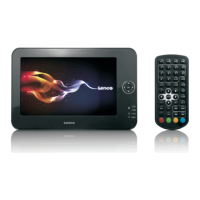
1. Exit
Exit the DVD APP.
2.
Go to previous chapter/track to the beginning.
3.
Press BUTTON allow skipping back at 5-level speed
(X2->X4->X8->X16->X32->PLAY), press PLAY button return to normal playback.
4.
Play or pause the disc playback.
5.
Press BUTTON allow skipping ahead at 5-level speed
(X2->X4->X8->X16->X32->PLAY), press PLAY button return to normal playback.
6.
Go to next chapter/track.
7. ■ Stop
Stop playing a disc.
8. VOL-
Decreases the volume.
9. VOL+
Increase the volume.
10. OK/Up/Down/Left/Right
11. 0-9 NUM KEY
12. REPEAT
Press REPEAT during playback to select a desired repeat mode.
DVD: you can play select repeat chapter/title/all.
CD/VCD: you can select repeat track/all.
Mp3: you can select repeat shuffle/single/repeat one/repeat folder/folder.
13. MENU
Return to DVD root menu (DVD)
Return to VCD PBC menu. (VCD)


 To Next Page