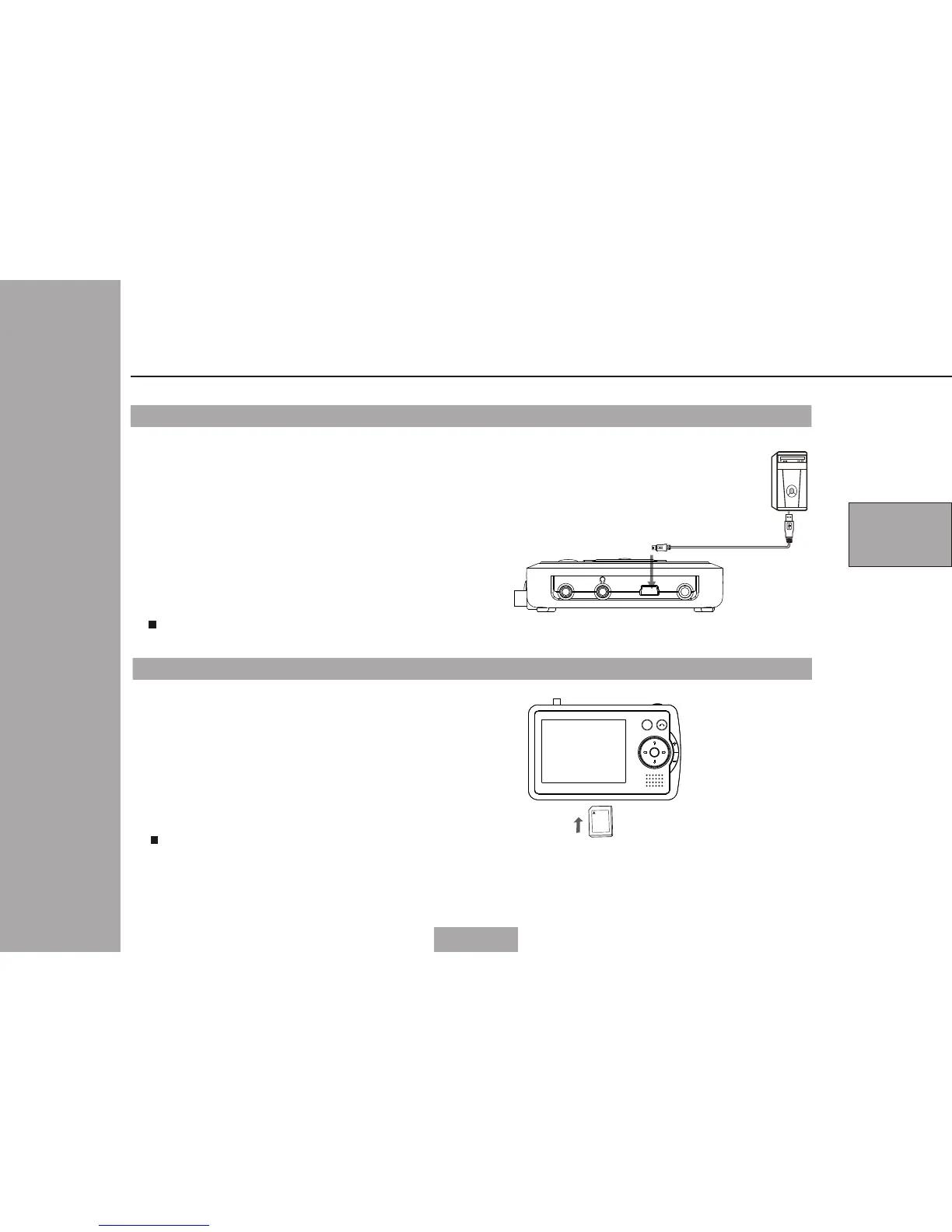
PC
USB c able ( co nn ec t t o PC )
08
Connecting to PC
1 Please connect the PC USB cable to
the USB terminal of the main unit,
then the main unit could show PC
connected
2 The PC could explore the USB
automatically
3
The PC can read the contents of
card when there is memory card in
the main unit.At the same time,the
contents of card can be removed,
copied and deleted.
Main unit
left side
Connecting to memory card (SD/MMC)
1 Please insert the memory card
to the memory socket of the
main unit
2 The main unit can be read the
contents in the memory card
automatically when the main
unit is in SD/MMC card mode.
Please insert the memory card in
right direction.
Note:
Memory card
4
Note:
If connect to PC USB cable,the keypad
of the main unit can not be operated.
USB DC INVIDEO OUT
PORTABLE MULTIMEDIA PLAYER
MENU
CH+
CH-
Fav- Fav+
OK
Connecting the main unit to other components



 To Next Page