
 Need help?
Do you have a question about the Lenovo IdeaPad Flex 3 and is the answer not in the manual?
The Lenovo IdeaPad Flex 3 (11", 05) is a versatile and portable computing device designed for a range of uses, from everyday tasks to more dynamic interactions, thanks to its flexible design. This setup guide provides essential information for initial setup, an overview of its physical components, and important regulatory details.
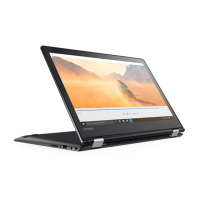
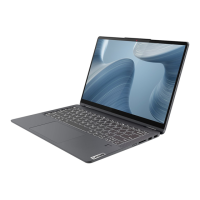
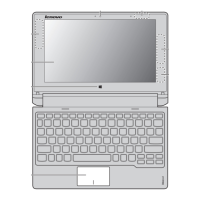
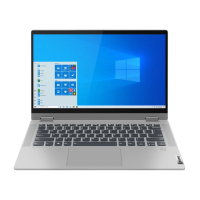
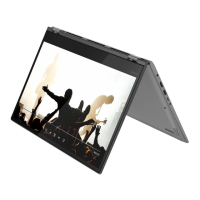
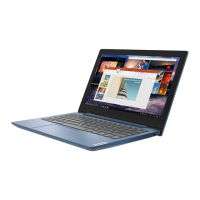
The IdeaPad Flex 3 (11", 05) functions as a convertible laptop, allowing users to switch between traditional laptop mode and other configurations, such as tablet or tent mode, by rotating the multi-touch screen. This adaptability makes it suitable for various scenarios, including productivity, entertainment, and presentations. The device is equipped with a camera and microphones, facilitating video conferencing, online communication, and multimedia recording. Its integrated speakers provide audio output for media consumption and calls. Input is primarily managed through the keyboard and a multi-touch touchpad, offering a familiar and intuitive interface for typing and navigation. The multi-touch screen further enhances interaction by allowing direct manipulation of content, such as tapping, swiping, and pinching.
Connectivity is a key aspect of the IdeaPad Flex 3. It features wireless antennas for Wi-Fi and Bluetooth connectivity, enabling internet access and pairing with various wireless peripherals like headphones, mice, or external keyboards. Physical ports include a USB (3.2 Gen 1) Type-A connector for connecting external devices such as USB drives, printers, or other accessories. A microSD card slot allows for easy expansion of storage or transfer of files from compatible memory cards, commonly used in cameras and smartphones. The device also includes an HDMI™ connector, which is crucial for extending the display to an external monitor, projector, or TV, making it ideal for presentations or a larger viewing experience. A combo audio jack provides a single port for connecting headphones or a headset with a microphone, catering to audio input and output needs. Power is supplied via a dedicated power connector, ensuring the device remains charged and operational.
The initial setup of the IdeaPad Flex 3 is straightforward, guiding users through the necessary steps to get the device ready for use. This typically involves connecting the power adapter to charge the device and then powering it on. The power button, often accompanied by a power light, indicates the device's status. The Novo button hole is a specialized feature that allows access to the Novo Button Menu, which can be used for system recovery, BIOS setup, or boot menu options, providing a convenient way to troubleshoot or configure the system at a low level.
The convertible nature of the device, facilitated by its multi-touch screen, allows for flexible usage. Users can fold the screen back to transform the laptop into a tablet, ideal for casual browsing, reading, or drawing with a stylus (if supported). The ability to stand the device in tent mode or display mode is useful for watching videos or giving presentations without the keyboard being in the way.
Security and privacy features are integrated into the design. The camera cover slider allows users to physically block the camera when not in use, providing peace of mind against unauthorized access or recording. The camera light indicates when the camera is active, further enhancing privacy awareness.
The various ports and wireless capabilities ensure that the IdeaPad Flex 3 can integrate seamlessly into different environments. The USB port supports high-speed data transfer, making it efficient for moving large files. The HDMI™ connector ensures compatibility with a wide range of external displays, enhancing productivity or entertainment options. The microSD card slot offers a convenient way to manage photos and videos from other devices.
While the guide does not delve into detailed maintenance, it implicitly suggests certain aspects. The mention of a "customer replaceable unit (CRU)" indicates that some components might be designed for easy replacement by the user, potentially extending the device's lifespan and reducing the need for professional service for minor issues. Users are directed to the "User Guide" for detailed definitions of CRUs, implying that this document would contain instructions for such replacements.
The device's design, with its various ports and wireless capabilities, encourages regular use and connectivity. Keeping the device clean, especially the screen and keyboard, is a general maintenance practice that helps preserve its functionality and appearance. The camera cover slider, beyond privacy, also serves to protect the camera lens from dust and scratches when closed.
The "Safety and Warranty Guide" is referenced for accessing the "User Guide" and understanding USB transfer rates, which are important for ensuring safe operation and proper use of the device's features. Adhering to the guidelines for RF exposure, as detailed in the "Additional information" section, is also a form of maintenance for user well-being, suggesting practices like limiting usage or keeping the device away from the body to reduce exposure. The information on radio equipment compliance with European Union directives ensures that the device meets specific standards, which contributes to its overall reliability and safety.
 General
| Display | 1366 x 768 |
|---|---|
| Memory | 4GB / 8GB |
| Storage | 128GB / 256GB SSD |
| Operating System | Windows 10 Home |
| Audio | 2 x 1.5W Speakers |
| Camera | 720p HD |
| Ports | 1 x headphone/mic combo, 1 x SD card reader, 1 x power connector |
| Wireless | Wi-Fi 5 (802.11ac), Bluetooth 4.2 |





 To Next Page