QuickInstallationGuide
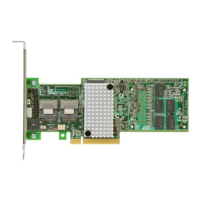
ServeRAIDM1210SAS/SATAControllerforLenovoSystemx
ThankyouforpurchasingtheServeRAIDM1210SAS/SATAController
(hereafterreferredtoascontroller)forLenovo
®
Systemx.Beforeyou
installthecontroller,takeafewminutestoreadthisquickinstallation
guide.
Formoreinformationaboutthecontroller,refertothe
ServeRAIDM1210SAS/SATAControllerforLenovoSystem
xUser’sGuideontheServeRAIDmatrixWebsiteat
https://support.lenovo.com/us/en/documents/serv-raid.
Technicalsupport:Togetassistanceforinstalling,configuring,or
usingthecontroller,gotohttp://www.lenovo.com/support.
DANGER
Electricalcurrentfrompower,telephone,andcommunicationcablesishazardous.
Toavoidashockhazard:
•Donotconnectordisconnectanycablesorperforminstallation,maintenance,orreconfigurationofthis
productduringanelectricalstorm.
•Connectallpowercordstoaproperlywiredandgroundedelectricaloutlet.
•Connecttoproperlywiredoutletsanyequipmentthatwillbeattachedtothisproduct.
•Whenpossible,useonehandonlytoconnectordisconnectsignalcables.
•Neverturnonanyequipmentwhenthereisevidenceoffire,water,orstructuraldamage.
•Disconnecttheattachedpowercords,telecommunicationssystems,networks,andmodemsbeforeyou
openthedevicecovers,unlessinstructedotherwiseintheinstallationandconfigurationprocedures.
•Connectanddisconnectcablesasdescribedinthefollowingtablewheninstalling,moving,oropening
coversonthisproductorattacheddevices.
ToConnect:ToDisconnect:
1.TurneverythingOFF.
2.First,attachallcablestodevices.
3.Attachsignalcablestoconnectors.
4.Attachpowercordstooutlet.
5.TurndeviceON.
1.TurneverythingOFF.
2.First,removepowercordsfromoutlet.
3.Removesignalcablesfromconnectors.
4.Removeallcablesfromdevices.
1

 Need help?
 General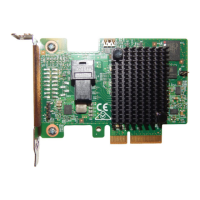

 To Next Page