ToreplacetherearI/Oassembly,dothefollowing:
1.Removeallmediafromthedrivesandturnoffallattacheddevicesandthecomputer.Then,disconnect
allpowercordsfromelectricaloutletsanddisconnectallcablesthatareconnectedtothecomputer.
2.Placeasoft,cleantowelorclothonthedeskorotheratsurface.Holdthesidesofyourcomputerand
gentlylayitdownsothatthescreenisagainstthesurfaceandthecoverisfacingup.
3.Removethecomputercover.See“Removingthecomputercover”onpage94.
4.LocatetherearI/Oassembly.See“LocatingmajorFRUsandCRUs”onpage82.
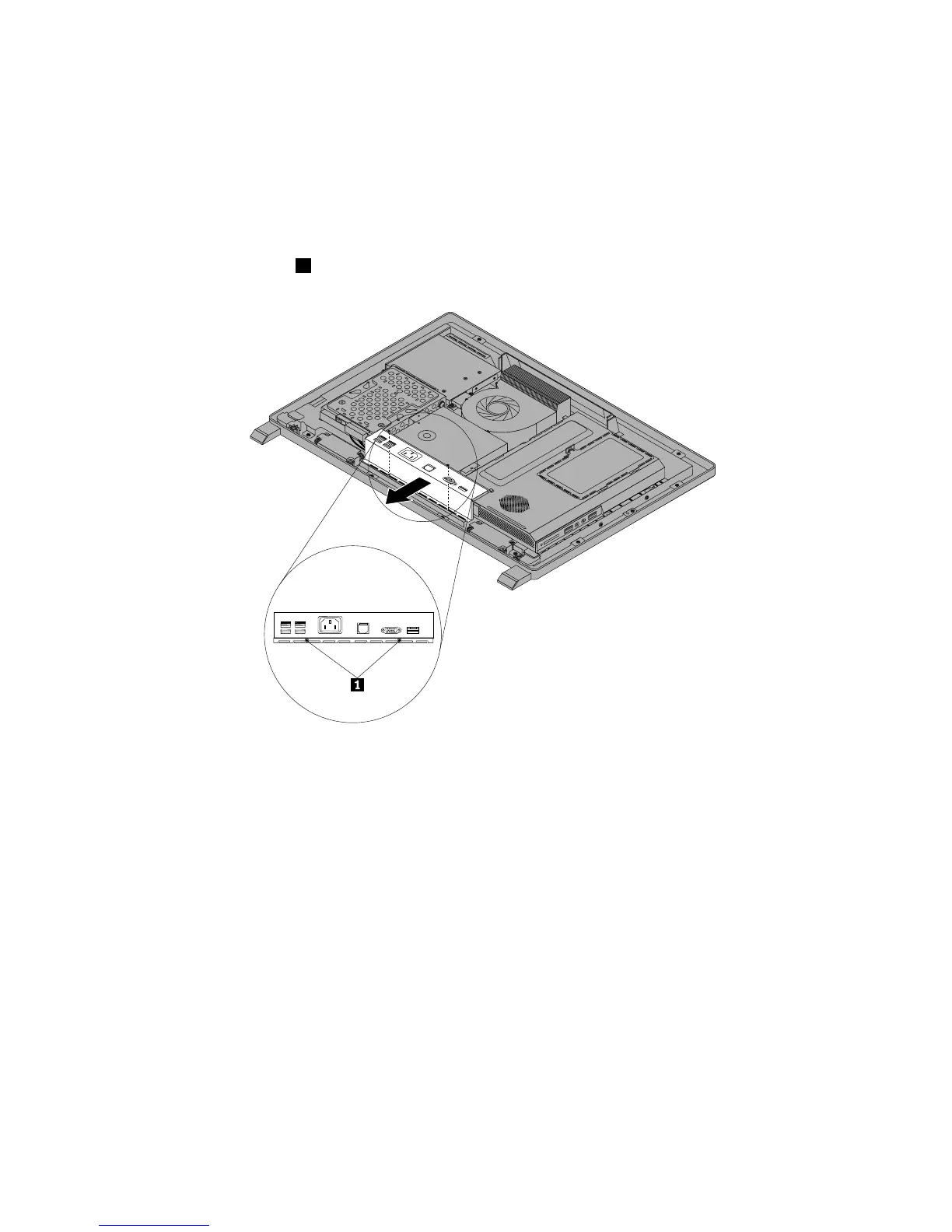
5.Removethetwoscrews1thatsecuretherearI/Oassembly.
Figure22.RemovingthetwoscrewsthatsecuretherearI/Oassembly
100ThinkCentreEdgeHardwareMaintenanceManual



 To Next Page
 Loading...













