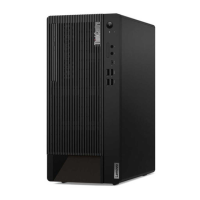
Features and specifications
Dimensions
• Width: 170 mm (6.7 inches)
• Height: 376 mm (14.8 inches)
• Depth: 297.85 mm (11.7 inches)
Weight (without the package) Maximum configuration as shipped: 7.5 kg (16.5 lb)
Hardware configuration
1. Right-click the Start button to open the Start context menu.
2. Click Device Manager. Type the administrator password or provide
confirmation if prompted.
Power supply
• 180-watt automatic voltage-sensing power supply
• 300-watt automatic voltage-sensing power supply
• 500-watt automatic voltage-sensing power supply
Electrical input
• Input voltage: From 100 V ac to 240 V ac
• Input frequency: 50/60 Hz
Microprocessor
To view the microprocessor information of your computer, right-click the Start
button and then click System.
Memory
Up to four double data rate 4 (DDR4) unbuffered dual inline memory modules
(UDIMMs)
Storage device
• 2.5-inch hard disk drive*
• 3.5-inch hard disk drive*
• Up to two M.2 solid-state drives*
• Intel
®
Optane™ memory*
To view the storage drive capacity of your computer, right-click the Start button
to open the Start context menu and then click Disk Management.
Note: The storage drive capacity indicated by the system is less than the nominal
capacity.
Video features
• The integrated graphics card supports the DisplayPort out connector.
• The optional discrete graphics card provides an enhanced video experience
and extended capabilities.
Audio features
The integrated audio card supports the following:
• Audio line-out connector
• Headset connector
• Internal speaker
• Microphone connector
Chapter 1. Meet your computer 5



 To Next Page
 Loading...