
 Need help?
Do you have a question about the Lenovo ThinkPad L14 Gen 4 and is the answer not in the manual?
Connect your ThinkPad to a VGA display using this adapter.
Connect your ThinkPad to a DisplayPort monitor via USB-C.
Adapt an HDMI output to a VGA input for display connection.
Expand storage capacity using the microSD card slot.
High-speed ports for data transfer and peripheral connection.
Versatile ports for data, power delivery, and display output.
Connect to external displays or projectors via HDMI.
Insert a Nano SIM card for cellular network connectivity.
Adjust device settings and check for system updates.
Enhance camera quality with Video Enhancer feature.
This document provides an overview and guide for the ThinkPad L14 Gen 4 and L15 Gen 4 laptops, focusing on their setup, key features, and maintenance.
The ThinkPad L14 Gen 4 and L15 Gen 4 are versatile laptops designed for productivity and connectivity. They offer a range of ports for external devices, including USB-C, HDMI, and USB 3.2, catering to various peripheral needs. The devices are equipped with wireless communication capabilities, supporting Bluetooth, WWAN (UMTS, LTE, HPUE), and WLAN (802.11b/g/n/ax) for seamless internet access and device pairing. Some models also include NFC for short-range wireless interactions. The laptops feature integrated cameras and microphones, suitable for video conferencing and voice commands. Security features include a fingerprint reader (on some models) for secure login. The operating system is enhanced with Lenovo-specific software like Lenovo Commercial Vantage and Lenovo View, which provide tools for system management, updates, and multimedia enhancements.
To begin using the ThinkPad L14 Gen 4 or L15 Gen 4, you typically connect the power adapter to the laptop and a power outlet. The manual illustrates connecting various adapters such as Lenovo USB-C to VGA, Lenovo USB-C to DisplayPort, and Lenovo HDMI to VGA, indicating the laptop's compatibility with different display setups. These adapters allow users to extend their display to external monitors or projectors, enhancing productivity for presentations or multi-screen workflows. The setup process involves plugging in the necessary cables and peripherals, ensuring the device is ready for use.
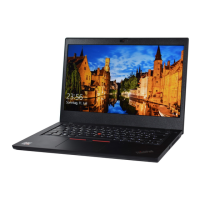
The front view of the ThinkPad L14 Gen 4 highlights several key user interaction points. The power button, often integrated with a fingerprint reader on some models, allows users to power on the device and log in securely with a touch. The laptop includes an integrated camera and microphones, essential for video calls and voice recording. A speaker is also present for audio output. The touchpad and TrackPoint provide precise cursor control, offering flexibility in navigation. Some models may feature NFC (Near Field Communication) for quick pairing with compatible devices or for contactless interactions. The screen is a primary interface for visual information, and the keyboard allows for text input and command execution.
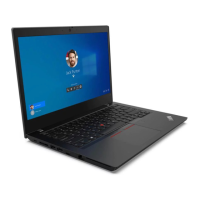
Similarly, the ThinkPad L15 Gen 4's front view presents a similar set of features, tailored for its specific design. The power button, potentially with an integrated fingerprint reader, serves for device activation and secure access. The camera and microphones facilitate communication and content creation. Audio is provided through a speaker. The touchpad and TrackPoint offer alternative methods for cursor control. NFC capabilities might be available on select models for convenient wireless interactions. The display and keyboard are central to user interaction, providing visual feedback and input mechanisms.
The ThinkPad L14 Gen 4 and L15 Gen 4 offer a comprehensive array of ports for connectivity. These include:
This pre-installed software is a crucial tool for managing the laptop. Users can access Lenovo Commercial Vantage to:
Lenovo View is a software feature designed to enhance the multimedia experience, particularly with the integrated camera. Its primary function is to:
The manual implicitly suggests several maintenance practices through its software features:
In summary, the ThinkPad L14 Gen 4 and L15 Gen 4 are designed for a seamless user experience, offering robust connectivity, intuitive controls, and software tools that empower users to manage and optimize their devices effectively.
 General
| Battery | Up to 57Wh, supports Rapid Charge |
|---|---|
| Processor | Up to 13th Gen Intel Core i7 |
| Display | 14" FHD (1920 x 1080) IPS, anti-glare |
| Memory | Up to 32GB DDR4 |
| Storage | Up to 2TB PCIe NVMe SSD |
| Graphics | Intel Iris Xe Graphics (Intel) |
| Operating System | Windows 11 Pro |
| Ports | 2x USB-C, 2 x USB 3.2, HDMI 2.1, RJ45, Headphone / mic combo |
| Wireless | Wi-Fi 6E, Bluetooth 5.1 |
| Security | dTPM 2.0, fingerprint reader, Kensington lock slot |






 To Next Page

