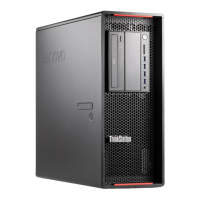
7Powerbutton8Powerindicator
9Harddiskdriveactivityindicator
Locatingconnectorsontherearofyourcomputer
Figure2“Rearconnectorlocations”onpage9showsthelocationsoftheconnectorsontherearofyour
computer.Someconnectorsontherearofyourcomputerarecolor-codedtohelpyoudeterminewhereto
connectthecablesonyourcomputer.
Figure2.Rearconnectorlocations
1Powercordconnector
2PS/2keyboardandmouseconnectors(optional)
3Ethernetconnectors(2)
4Audioline-inconnector
5Displayconnector(DVImonitorconnector,DisplayPort
connector,orminiDisplayPort®connector)(numberand
locationvarybymodel)
6Displayconnector(DVImonitorconnector,DisplayPort
connector,orMini-DisplayPortconnector)(numberand
locationvarybymodel)
7Audioline-outconnector8Microphoneconnector
9USB3.0connectors(2)10USB2.0connectors(8)
11Serialconnector
ConnectorDescription
Audioline-inconnector
Usedtoreceiveaudiosignalsfromanexternalaudiodevice,suchasastereo
system.Whenyouattachanexternalaudiodevice,acableisconnectedbetween
theaudioline-outconnectorofthedeviceandtheaudioline-inconnectorofthe
computer.
Audioline-outconnector
Usedtosendaudiosignalsfromthecomputertoexternaldevices,suchaspowered
stereospeakers(speakerswithbuilt-inamplifiers),headphones,multimedia
keyboards,ortheaudioline-inconnectoronastereosystemorotherexternal
recordingdevice.
DisplayPortconnector
Usedtoattachahigh-performancemonitor,adirect-drivemonitor,orotherdevices
thatuseaDisplayPortconnector.
Chapter1.Productoverview9



 To Next Page
 Loading...