EasyManua.ls Logo

Lenovo ThinkStation S20 - User Manual

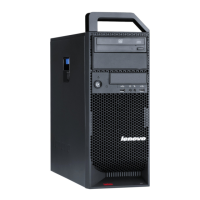
Lenovo ThinkStation S20
70 pages
Print Icon
To Next Page IconTo Next Page
Loading...
ThinkStation
UserGuide
MachineTypes:4105,4157,and4217

Table of Contents

Other manuals for Lenovo ThinkStation S20

Questions and Answers

  • P
    Paul DyerJul 26, 2025
    What to do if Lenovo ThinkStation S20 Desktop does not start?
    • T
      Taylor LevineJul 26, 2025
      If your Lenovo Desktop doesn't start, check the following: Ensure the power cord is properly connected to both the rear of the computer and a working electrical outlet. If there's a secondary power switch at the back, make sure it's turned on. Also, check if the power indicator on the front of the computer is lit. If the issue persists, the computer may require servicing.
  • C
    Christina Gomez MDJul 31, 2025
    What to do if the keyboard does not work on Lenovo ThinkStation S20?
    • A
      Amy KelleyJul 31, 2025
      If the keyboard isn't working on your Lenovo Desktop, first ensure the computer is turned on. Check that the monitor is on and the brightness and contrast are correctly set. Verify the keyboard is securely connected to the keyboard connector on the computer and that no keys are stuck. If the issue persists, the computer may require servicing.
  • A
    Andrea ObrienAug 5, 2025
    What to do if USB Keyboard does not work on Lenovo ThinkStation S20 Desktop?
    • D
      diana76Aug 5, 2025
      If your USB keyboard isn't working with your Lenovo Desktop, make sure the computer is powered on. Check that the keyboard is securely plugged into a USB connector on either the front or back of the computer. Also, ensure that no keys are stuck. If the problem persists, the computer may need professional servicing.
  • C
    carterheatherAug 10, 2025
    What to do if Lenovo ThinkStation S20 operating system will not start?
    • J
      Jason LittleAug 10, 2025
      If the operating system on your Lenovo Desktop won't start, check that there isn't a diskette in the diskette drive. Also, verify that the startup sequence includes the device where the operating system resides, typically the hard disk drive. If the issue persists, the computer may require servicing.
  • B
    Brooke FreemanAug 15, 2025
    Why is the monitor screen blank on my Lenovo Desktop?
    • S
      Shari MatthewsAug 15, 2025
      If the monitor screen is blank on your Lenovo Desktop, ensure the monitor cable is securely connected to both the monitor and the computer. Verify the monitor power cord is plugged into both the monitor and a working electrical outlet. Confirm that the monitor is powered on and the brightness and contrast settings are properly adjusted. Also, check that the monitor signal cable is securely connected. If the problem continues, the computer needs to be serviced.
  • M
    Mrs. Christine WrightAug 19, 2025
    What to do if mouse does not work on Lenovo ThinkStation S20?
    • D
      David McclainAug 20, 2025
      If the mouse isn't working on your Lenovo Desktop, ensure the computer is turned on. Verify that the mouse is securely connected to the mouse connector on the computer. Make sure the mouse is clean. If these steps don't resolve the issue, the computer might need servicing.

Summary

Chapter 1. Important safety information

Chapter 2. Arranging your workspace

Comfort

Guidelines for comfortable working positions, chair, keyboard, and monitor setup.

Glare and lighting

Tips to minimize glare and reflections from light sources on the monitor screen.

Chapter 3. Setting up your computer.

Connecting your computer

Instructions and diagrams for connecting keyboard, mouse, and monitor cables.

Chapter 4. Software overview.

Software provided with your Windows operating system

Description of Windows applications provided with the product.

Chapter 5. Using the Setup Utility.

Starting the Setup Utility program

Steps to access and initiate the system's BIOS setup utility.

Chapter 6. Installing hard disk drives and configuring RAID

Installing SATA hard disk drives and configuring RAID

Information on required SATA drives for RAID levels and initial configuration steps.

Chapter 7. Updating system programs

Using system programs

Overview of system programs like POST, BIOS, and Setup Utility, and how to update them.

Chapter 8. Troubleshooting and diagnostics

Basic troubleshooting

A table providing common symptoms and actions to resolve computer issues.

Chapter 9. Recovery information.

Creating and using recovery media

Instructions for creating and utilizing recovery media for system restoration.

Chapter 10. Getting information, help, and service

Information resources

How to access useful resources like online books, support websites, and documentation.

Appendix A. Manual modem commands

Basic AT commands

Lists basic AT commands used for manually programming a modem.

Appendix B. System memory speed

Table 1. DIMM type and speed: PC3-10600 U

Table detailing DIMM sizes, quantities, processor models, and memory frequencies.

Appendix C. Notices.

Appendix D. WEEE and recycling information

Important WEEE Information

Information on Waste Electrical and Electronic Equipment regulations and proper disposal.

Appendix E. Restriction of Hazardous Substances Directive (RoHS).

China RoHS

Table showing hazardous substance content in product parts according to China RoHS standards.

Index.

Lenovo ThinkStation S20 Specifications

General IconGeneral
Tcase67.9 °C
Bus typeQPI
SteppingD0
FSB ParityNo
Processor cache8 MB
Processor cores4
Processor modelW3520
System bus rate4.80 GT/s
Processor seriesIntel Xeon 3500 Series
Processor socketSocket B (LGA 1366)
Processor threads8
Processor codenameBloomfield
Number of QPI links1
Processing Die size263 mm²
Processor frequency2.66 GHz
Processor cache typeSmart Cache
Processor lithography45 nm
Processor system typeUp
Processor manufacturerIntel
Processor front side bus1066 MHz
Processor boost frequency2.93 GHz
Processor operating modes64-bit
ECC supported by processorYes
Thermal Design Power (TDP)130 W
Processor core voltage (AC)0.800 - 1.225 V
CPU multiplier (bus/core ratio)20
Memory types supported by processorDDR3-SDRAM
Number of Processing Die Transistors731 M
Memory clock speeds supported by processor800, 1066 MHz
Memory bandwidth supported by processor (max)25.6 GB/s
Maximum internal memory supported by processor24 GB
Internal memory4 GB
Memory channelsTriple-channel
Maximum internal memory12 GB
Memory layout (slots x size)2 x 2 GB
HDD capacity500 GB
HDD interfaceSATA
Graphics cardQuadro FX 580
Maximum graphics card memory0.5 GB
PS/2 ports quantity2
Serial ports quantity0
USB 2.0 ports quantity10
Operating system installedWindows XP Professional
Chassis typeTower
Product typeWorkstation
Processor codeSLBEW
Processor ARK ID39718
Processor package size42.5 x 45.0 mm
Supported instruction setsSSE4.2
Intel® Turbo Boost Technology1.0
Physical Address Extension (PAE)36 bit
Weight and Dimensions IconWeight and Dimensions
Depth460 mm
Width175 mm
Height478 mm
Weight16330 g

Related product manuals