Notes:
a. Dirty or scratched CD may cause a skipping problem. Clean or replace the CD.
b. If an error display or malfunction occurs, disconnect the AC cord and remove all the
batteries. Then turn the power back on.
BEFORE OPERATION
Notes: CONCERNING COMPACT DISCS.
Since dirty, damaged or warped discs may damage the appliance, care should be taken of
the followings items:
a. Usable compact discs. Use only compact disc with the mark shown below.
b. CD compact disc only with digital audio signals.
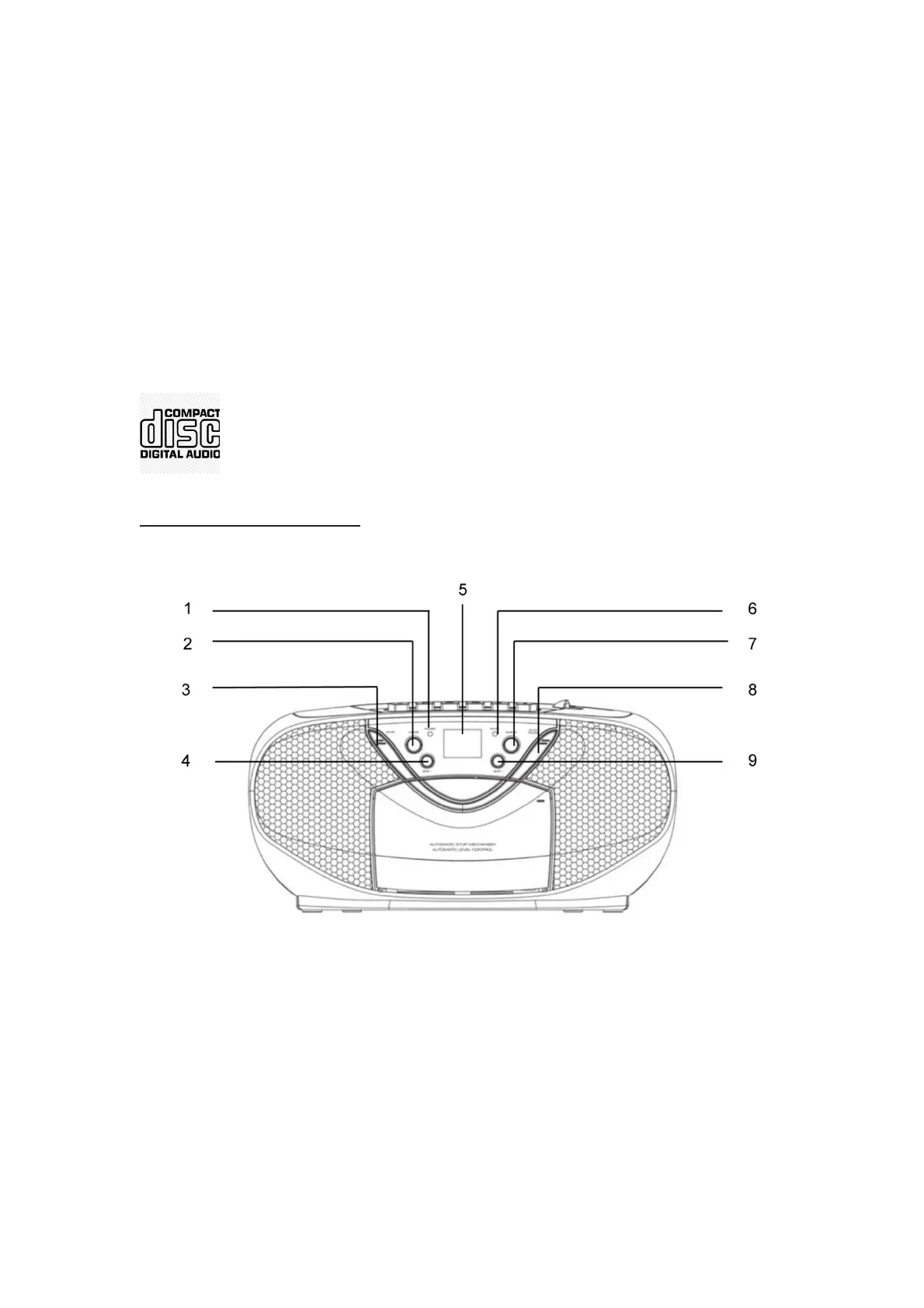
Overview of the Components
1. POWER INDICATOR 6. FM ST. INDICATOR
2. REPEAT 7. PROGRAM
3. STOP 8. PLAY / PAUSE
4. SKIP- 9. SKIP+
5. DISPLAY


 To Next Page