PROFINET
Status displays at the RJ45 sockets
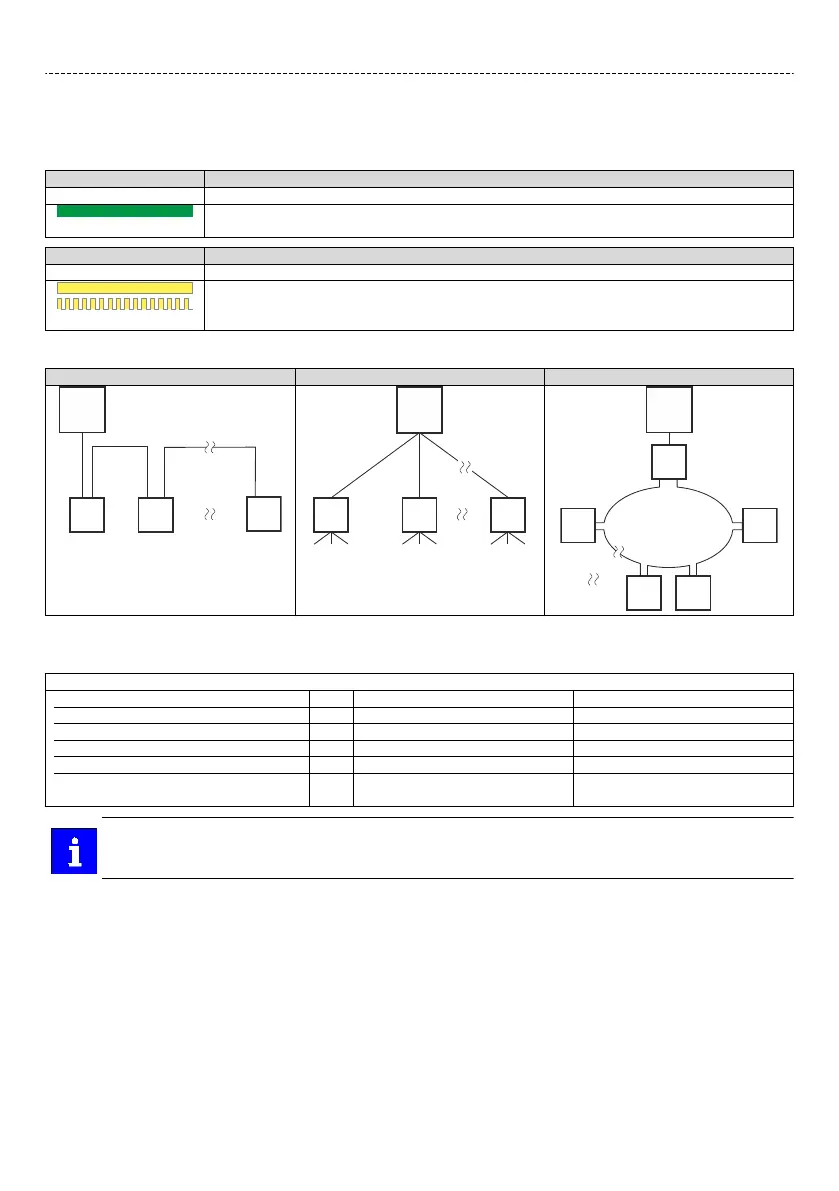
The LEDs at the RJ45 sockets indicate the connecon status to the network:
LED "Link" (green) Status/meaning
o No connecon to the network.
on
A physical connecon to the network is available.
LED "Acvity" (yellow) Status/meaning
o No data transfer.
on or ickers
Data is exchanged via the network.
Typical topologies
Line Tree Ring
C IO controller SW Switch SCALANCE (MRP capable)
D IO device R Redundant domain
Bus-related informaon
Name PROFINET RT
Communicaon medium Ethernet 100 Mbps, full duplex
Use Connecon as PROFINET IO Device
Connecon system RJ45
Status display 2 LEDs
Connecon designaon X256
X257
The rotary encoder switch has no funcon.
Electrical installaon
Networks
PROFINET
94

 To Next Page
 Loading...