EasyManua.ls Logo

Leuze electronic AMS 200 - User Manual

Leuze electronic AMS 200
118 pages
Print Icon
To Next Page IconTo Next Page
Loading...
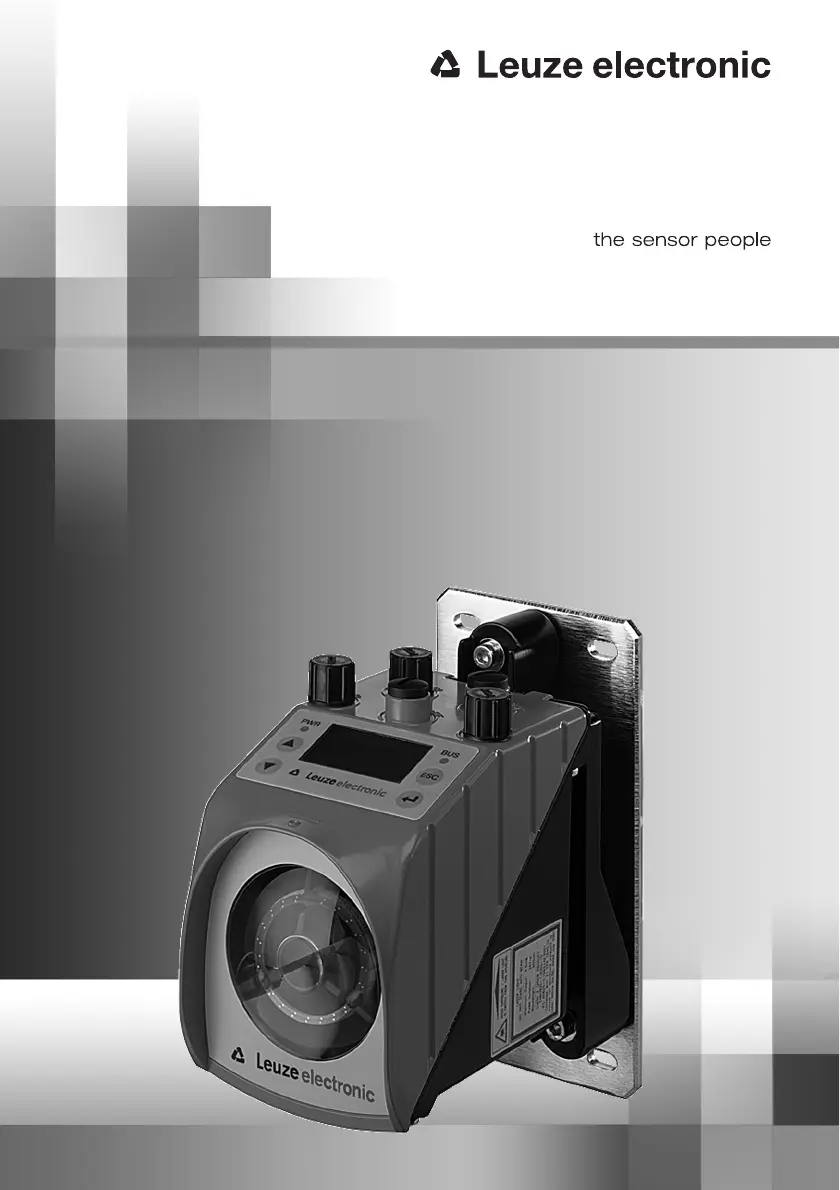
AMS 200
Optical Laser Measurement System
GB 01-03/08 50104729
TECHNICAL DESCRIPTION

Table of Contents

Questions and Answers

  • J
    Jose WrightAug 16, 2025
    What to do if PLB appears on the display of Leuze electronic Measuring Instruments?
    • V
      vstewartAug 16, 2025
      If the display shows 'PLB' on your Leuze electronic Measuring Instruments device, it indicates implausible measurement values. Check the alignment, traverse rate (it should not be greater than 10m/s), and ensure you haven't exceeded the permissible measurement range. If 'PLB+TMP' is displayed, verify that the environmental temperature is within the allowed range.
  • B
    Bethany Williams MDAug 18, 2025
    What to do if ATT appears on the display of Leuze electronic AMS 200?
    • Z
      zparkerAug 18, 2025
      If 'ATT' appears on the display of your Leuze electronic Measuring Instruments, it means the received signal level is in the warning range. To resolve this, check the alignment, clean the optics, remove any protective foil from the reflector and clean the reflector surface.
  • S
    Sandra FaulknerAug 21, 2025
    Why is the PWR LED flashing red on my Leuze electronic AMS 200?
    • J
      John RobinsonAug 21, 2025
      If the PWR LED is flashing red on your Leuze electronic Measuring Instruments, it could be due to a light beam interruption or a plausibility error. Check the alignment. Also, consider that the traverse rate may be greater than 10m/s.
  • J
    Jeffery FloresAug 25, 2025
    What causes sporadic errors at the PROFIBUS of Leuze electronic Measuring Instruments?
    • S
      saramcdowellAug 25, 2025
      If you are experiencing sporadic errors with the PROFIBUS on your Leuze electronic Measuring Instruments, check the wiring and termination. Also, examine the shielding, grounding concept, and connection to FE to mitigate EMC effects. Avoid EMC coupling by preventing power cables from running parallel to device lines and check the maximum network expansion relative to the set baud rate.
  • D
    Douglas SmithAug 27, 2025
    How to fix no communication via PROFIBUS (BUS LED red) on Leuze electronic AMS 200?
    • C
      Craig EricksonAug 28, 2025
      If there is no communication via PROFIBUS and the BUS LED is red on your Leuze electronic Measuring Instruments, check the wiring, termination, PROFIBUS address, and ensure that the PROFIBUS interface is activated. Also, verify the device configuration in the configuration tool.
  • T
    Tracy HarveyAug 30, 2025
    What does it mean when the PWR LED is permanently red on Leuze electronic AMS 200 Measuring Instruments?
    • H
      Heidi ParkerAug 30, 2025
      If the PWR LED is permanently red on your Leuze electronic Measuring Instruments, it indicates a hardware error. Refer to the display for a specific error description and send the device to customer service.
  • R
    Rodney OwensSep 3, 2025
    What does TMP mean on the display of Leuze electronic AMS 200?
    • V
      Victor NguyenSep 3, 2025
      If 'TMP' appears on the display of your Leuze electronic Measuring Instruments, it indicates that the temperature is outside the permissible parameters. Ensure that the environmental conditions are within the permissible range.
  • R
    Ruben HarrellSep 5, 2025
    What does ERR mean on the display of Leuze electronic AMS 200?
    • P
      Patricia GonzalezSep 6, 2025
      If 'ERR' appears on the display of your Leuze electronic Measuring Instruments, it indicates a hardware error. If necessary, send the device to customer service.
  • M
    Michael ThomasSep 9, 2025
    Why is the PWR LED off on my Leuze electronic AMS 200?
    • T
      Toni Miller DDSSep 9, 2025
      If the PWR LED is off on your Leuze electronic Measuring Instruments, it indicates that there is no supply voltage connected to the device or a hardware error. Check the device supply voltage and if the problem persists, send the device to customer service.
  • M
    Megan OchoaSep 12, 2025
    What does LSR mean on the display of Leuze electronic AMS 200?
    • S
      Scott CamachoSep 12, 2025
      If 'LSR' appears on the display of your Leuze electronic Measuring Instruments, it is a laser prefailure message. Replace the device at the next possible opportunity and have a replacement device ready.

Summary

Safety Notices

2.1 General Safety Notices

Provides essential safety instructions for documentation, repair, and device handling.

2.2.1 Intended Use

Defines the intended application and limitations of the AMS 200.

2.3 Working Safely

Details safe operation, qualified personnel, and laser radiation precautions.

Commissioning Steps at a Glance

Specifications

4.3 Electrical Connection

Explains electrical connections using M12 connectors and safety precautions.

Reflectors

Control Panel Display AMS 200…

6.2.2 Status Displays

Details the meanings of the PWR and BUS LED status indicators.

6.2.2.3 Status Displays on the Display

Explains various status messages shown on the device display.

6.3 Operation

Covers the general operation of the laser measurement system.

6.3.1 The 5 Main Menus

Outlines the structure and navigation of the main menus.

6.3.2 Parameter - Main Menu

Describes how to access and manage device parameters.

6.3.2.1 Parameter Handling Menu Item

Explains how to view and edit parameters, including enabling.

6.3.2.2 Password for Parameter Enabling

Details how to set and manage the password for parameter changes.

Mounting

7.1 Mounting the AMS 200…

Provides instructions for mounting the AMS 200 device.

7.3.5 Aligning the Laser Light Spot

Explains the alignment process for the laser spot on the reflector.

PROFIBUS Interface

8.1 PROFIBUS

Introduces the PROFIBUS interface and its general information.

8.1.3 PROFIBUS Address

Explains how to set the PROFIBUS address via the display.

8.1.6.1 Module 1: Position Value

Details the parameters for outputting the current position value.

8.1.6.2 Module 2: Static Preset

Explains how to specify and activate a preset value.

8.1.6.3 Module 3: Dynamic Preset

Describes specifying and activating dynamic preset values.

8.1.6.4 Module 4: I;O 1 Input;Output

Defines the operating modes for digital input/output I/O 1.

8.1.6.5 Module 5: I;O 2 Input;Output

Defines the operating modes for digital input/output I/O 2.

8.1.6.6 Module 6: Status and Control

Supplies status information and allows laser control via PROFIBUS.

8.1.6.9 Module 9: Error Handling Procedures

Covers parameters for handling various error conditions.

8.1.6.10 Module 10: Velocity

Details the output of current velocity and measurement value preparation.

8.1.6.11 Module 11: Static Velocity Limit Value 1

Compares current velocity with stored values within a defined range.

8.1.6.12 Module 12: Static Velocity Limit Value 2

Compares current velocity with stored values within a defined range.

8.1.6.13 Module 13: Static Velocity Limit Value 3

Compares current velocity with stored values within a defined range.

8.1.6.14 Module 14: Static Velocity Limit Value 4

Compares current velocity with stored values within a defined range.

8.1.6.15 Module 15: Dynamic Velocity Limit Value

Compares current velocity with stored values dynamically.

8.1.6.16 Module 16: Velocity Status

Supplies status information for velocity measurement to the PROFIBUS master.

8.1.6.17 Module 17: SSI Interface

Defines parameters for the SSI interface and its configuration.

8.1.6.19 Module 19: RS 232 Interface

Defines parameters for the RS 232 serial interface.

SSI Interface

8.2 SSI

Provides general information about the SSI transmission procedure.

8.2.4 Default Settings of the SSI Interface

Lists default settings for the SSI interface and common parameters.

Interbus Interface

RS 232 Interface

8.4.5 Communication Protocol (Binary Protocol)

Covers the binary communication protocol for AMS data requests.

Diagnostics and Troubleshooting

9.1 General Error Causes

Lists common error causes for the device.

9.3 PROFIBUS Errors

Details troubleshooting steps for PROFIBUS communication errors.

9.4 SSI Interface Errors

Provides troubleshooting for SSI interface communication issues.

9.5 RS 232 Interface Errors

Details troubleshooting for RS 232 interface communication problems.

9.6 Interbus Interface Errors

Covers troubleshooting for Interbus interface communication errors.

Leuze electronic AMS 200 Specifications

General IconGeneral
TypeLaser distance sensor
Resolution0.1 mm
Accuracy±1 mm
Protection classIP 67
Laser classClass 2
Operating temperature-10 ... +50 °C
Laser typeRed laser, 650 nm
Measurement rate1 kHz
Operating voltage10 ... 30 V DC

Related product manuals