Configuration and diagnostic software SensorStudio
Leuze electronic GmbH + Co. KG RSL 420P 30
Ä Click in the DTM menu bar on the [Change access level]button (
).
ð The Change access level dialog box opens.
Ä In the Access level list, select the item Expert, Engineer or Observer and enter the default password or
the password defined for the individual user.
The following access levels are available:
• Observer can read everything (no password)
• Expert can change communication and diagnostics settings (default password = comdiag)
• Engineer can additionally change the safety configuration (default password = safety)
The password is case-sensitive (i.e. a distinction is made between upper-case and lower-case letters).
Ä Confirm with [OK].
4.5.2
IDENTIFICATION
Detailed information on the menu items and setting parameters can be found in the information area and in
the online help. Select the Help menu item in the menu [?].
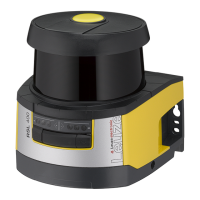
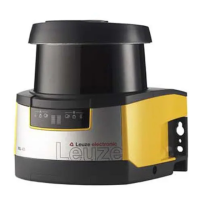
• RSL400 safety laser scanner
• Sensor and configuration data
• Technical data
4.5.3
PROCESS
Detailed information on the menu items and setting parameters can be found in the information area and in
the online help. Select the Help menu item in the menu [?].
• Sensor display
Device display in the DTM menu
• SENSOR DISPLAY
• STATE OF THE ACTIVE PROTECTIVE AND WARNING FIELDS
• SENSOR DATA
• PROFINET connection unit
• LED INDICATOR
• DIAGNOSIS
• Measurement contour
• Inputs / outputs
• SENSOR DISPLAY
• CONNECTIONS AND SIGNALS
• Simulation – only with access level Engineer
• Measurement contour
• Inputs / outputs
4.5.4
CONFIGURATION
see chapter 9 "Configuring the safety sensor"
NOTICE
You can only transfer changes made in the CONFIGURATION menu to the safety sensor if you
are logged in with the access level Engineer.
4.5.5
DIAGNOSIS
Adjustment / Alignment
Display of safety sensor alignment using the integrated electronic spirit level
Prerequisites: The software and safety sensor are connected.



 To Next Page
 Loading...