Starting up the device
Leuze electronic GmbH + Co. KG RSL 420P 88
10.4 Shutting down
Temporarily shutting down the machine with the safety sensor
When you shut down the machine with the safety sensor temporarily, you do not have to observe any more
steps. The safety sensor saves the configuration and starts again with the switch-on with this configuration.
Shutting down safety sensor and removing from machine
When you shut down the safety sensor and store it away for a later use, you must reset the safety sensor
to the factory settings.
Ä Reset the safety sensor to the factory settings using the software.
In the device manager (DTM) of the safety sensor, select the CONFIGURATION tab.
Click the [Reset safety configuration] button.
10.5 Restarting
Restarting the machine with the safety sensor
If you have only shut down the system with the safety sensor temporarily and are restarting the system
without any changes, you can restart the safety sensor with the configuration that applied with the shut-
down. The configuration remains saved in the safety sensor.
Ä Perform a function test (see chapter 12.3 "Periodically by the operator").
Starting up machine with safety sensor after modification or reconfiguration
If you have performed significant changes on the machine or have reconfigured the safety sensor, the
safety sensor must be checked as with the initial start-up.
Ä Test the safety sensor (see chapter 12.1 "Before the initial start-up and following modifications").
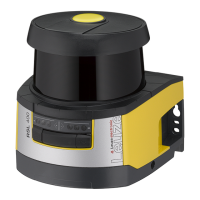
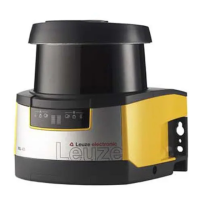
10.6 Starting up replacement scanner unit
The replacement scanner unit and the original scanner unit must be the same with regard to the following
points:
• Scanner unit type in accordance with name plate or downward compatible with previous scanner unit
with greater range and greater function range
• Mounting on the existing connection unit
Mounting and aligning replacement scanner unit
Ä Mount the replacement scanner unit on the connection unit instead of the original scanner unit (see
chapter 14.1 "Changing scanner unit").
NOTICE
Realignment of safety sensor not necessary!
Realignment of the safety sensor is not necessary since the replacement scanner unit is
mounted on the existing, aligned connection unit.
Transferring configuration to replacement scanner unit
The configuration stored in the connection unit is automatically transferred to the replacement scanner unit.
WARNING
Malfunctioning of safety sensor due to incorrect configuration!
Ä The safety sensor configuration stored in the connection unit can only be adopted without
changes if the replacement scanner unit and the original scanner unit are downward com-
patible with respect to range and performance class.
The replacement scanner unit will reject an invalid configuration.
Ä Change the configuration parameters of the safety sensor using the configuration and diag-
nostic software according to the performance class of the replacement scanner unit.
Ä Change the configuration parameters of the safety sensor using the configuration and diag-
nostic software according to the operating range of the replacement scanner unit.



 To Next Page
 Loading...