28
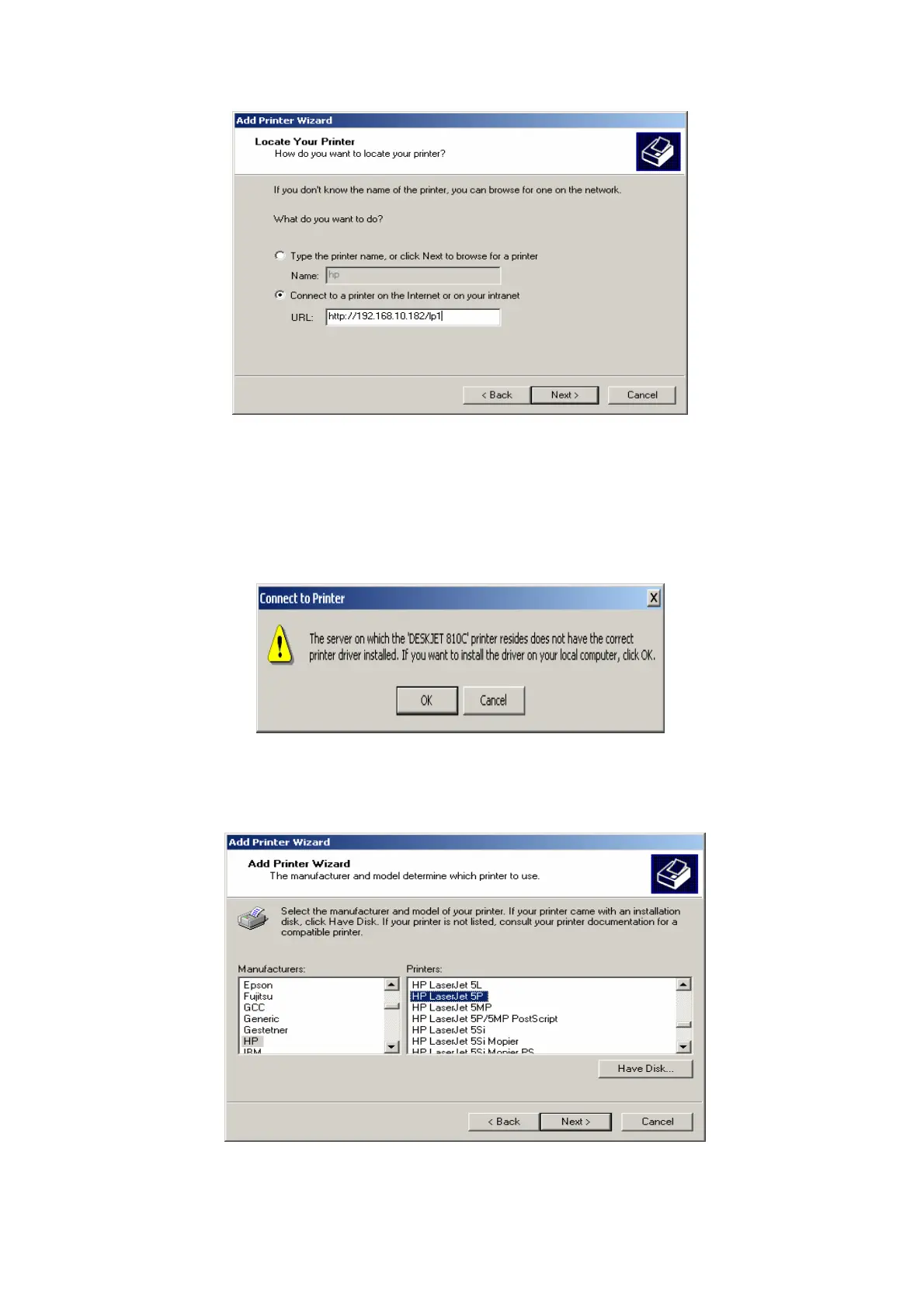
6.In URL’s box, input print server’s IP address, for example, http://192.168.10.182/lp1. Then
Click Next.
** One port should be the port name as lp1.
7. It will check print server to connect to HP printer, if not, it will appear as follow picture.
Then Click OK.
8.
Select the appropriate printer manufacturer and printer type and click “Next”, appear as
follow picture.



 To Next Page