47
snmp.snmpEnableAuthenTraps
Enables or disables the function of sending SNMP
Authentication Failure trap message to the network
administrator, if the community name within a SNMP request is
not correct.
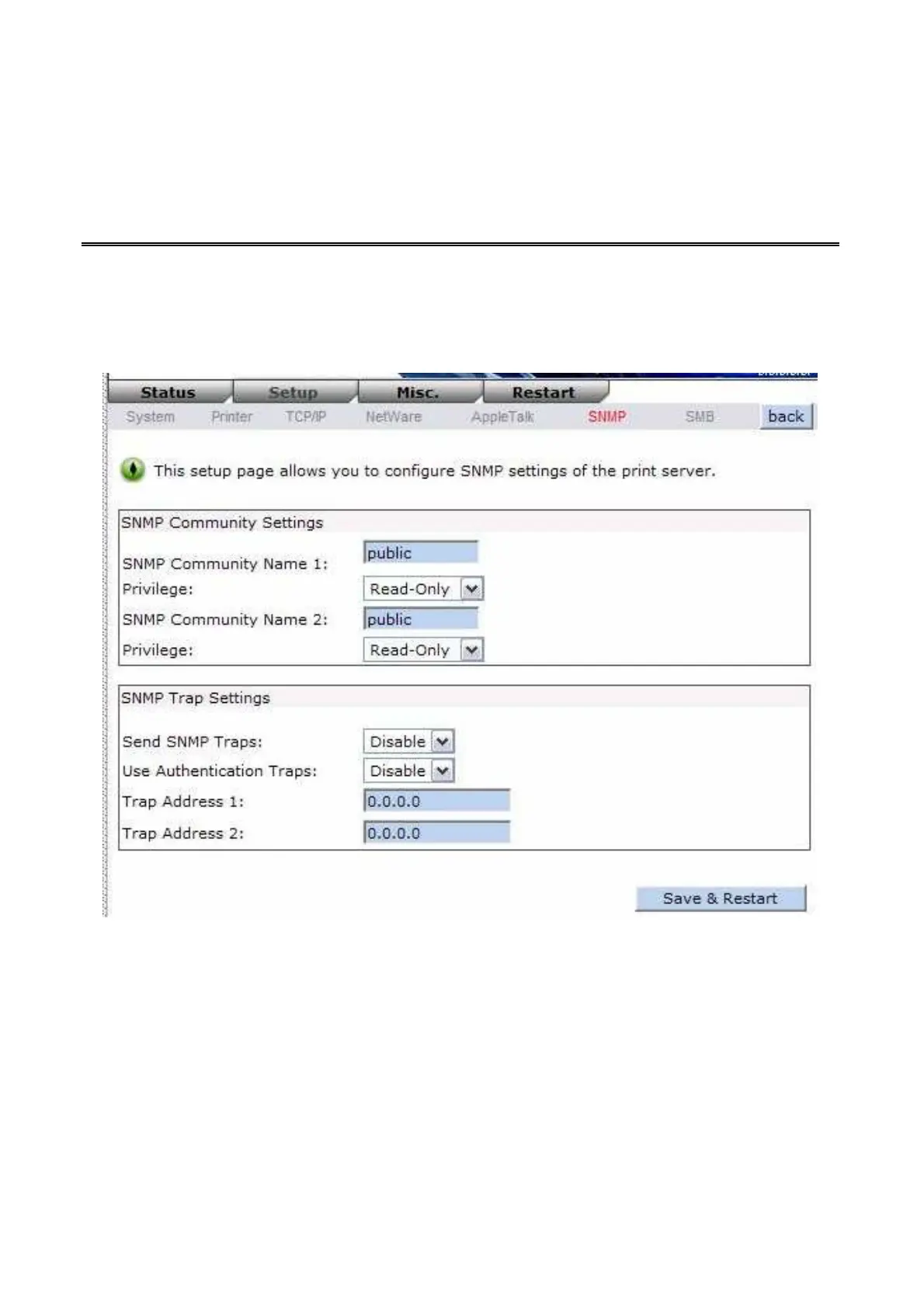
Users can set up print server’s SNMP functions by using their browsers.
1. Click Setup, it then appears the sub-menu.
2. Click SNMP, it then as shown in the following picture.
SNMP Community: The print server supports up to two community names. The default
community name is public (case-sensitive), with Read Only access
right in default.
Support HP WebJetAdmin: This option allows user determine to disable/enable the
Support HP WebJetAdmin.
SNMP Traps: Enable the function of sending SNMP Authentication Failure trap message to
the network administrator, if the community name within a SNMP request is
not correct.
SMB Setup



 To Next Page