57
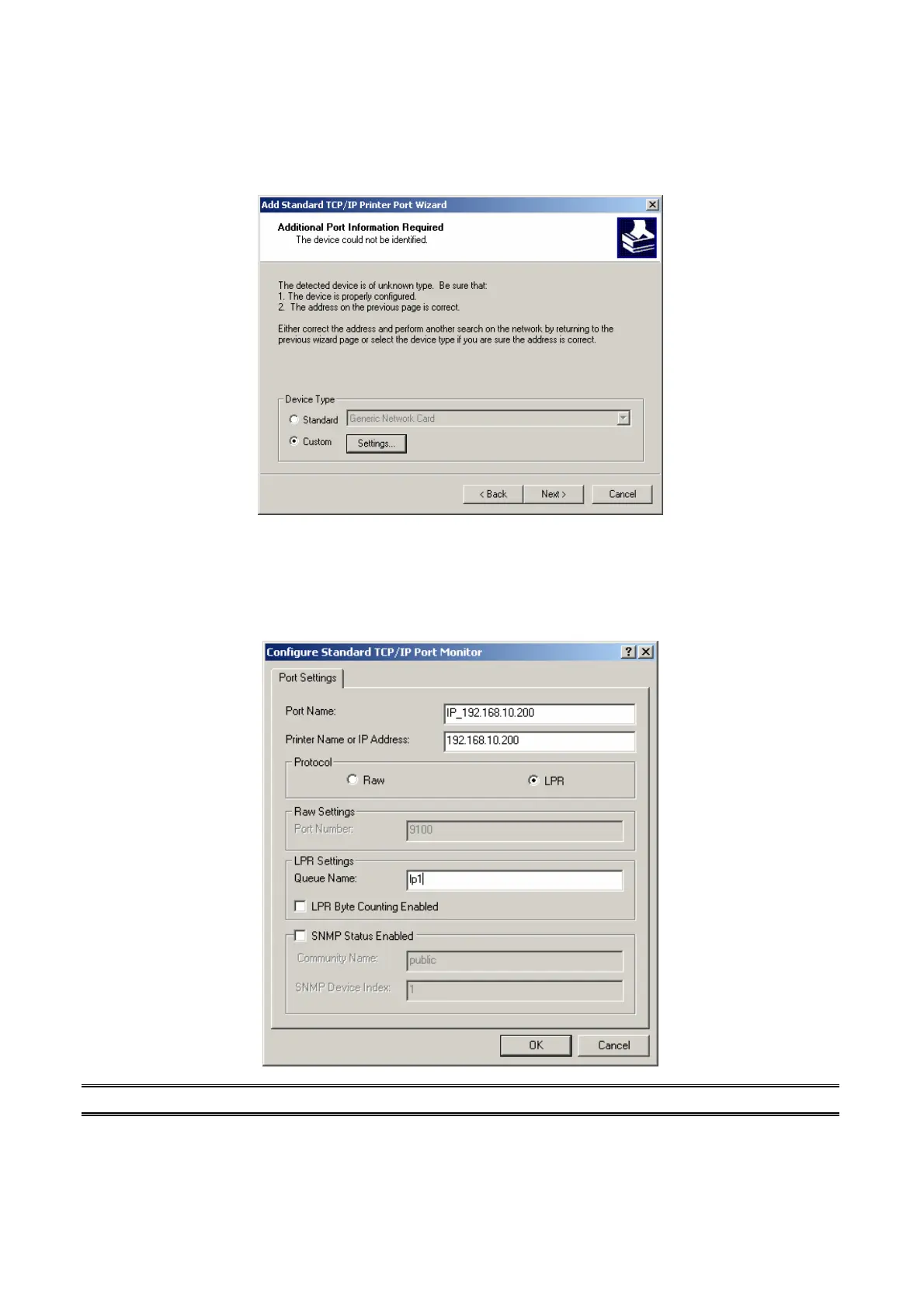
6. In the Add Standard TCP/IP Printer Port Wizard box as shown in the following picture,
Select Custom, Click Settings button, and click Next.
7. In the Configure Standard TCP/IP Port Monitor box as shown in the following picture,
select LPR form Protocol, type in a queue name, for example, lp1.
8. Click OK, and Next.
Note: Please DO NOT type any other name than lp1 in this step.
9. Click Finish.



 To Next Page