EasyManua.ls Logo

LevelOne GNS-2000 - Basic Installation and Setup; Installation Steps

LevelOne GNS-2000
123 pages
Print Icon
To Next Page IconTo Next Page
To Previous Page IconTo Previous Page
Loading...
10
If the desired GNS-2000 is not listed, check the following:
The NAS Server has finished the start up and boot
process.
Your PC and the NAS Server are on the same LAN
segment (there is no Router between your PC and
the NAS Server).
Otherwise, select the desired NAS Server, and click the
"Next" button.
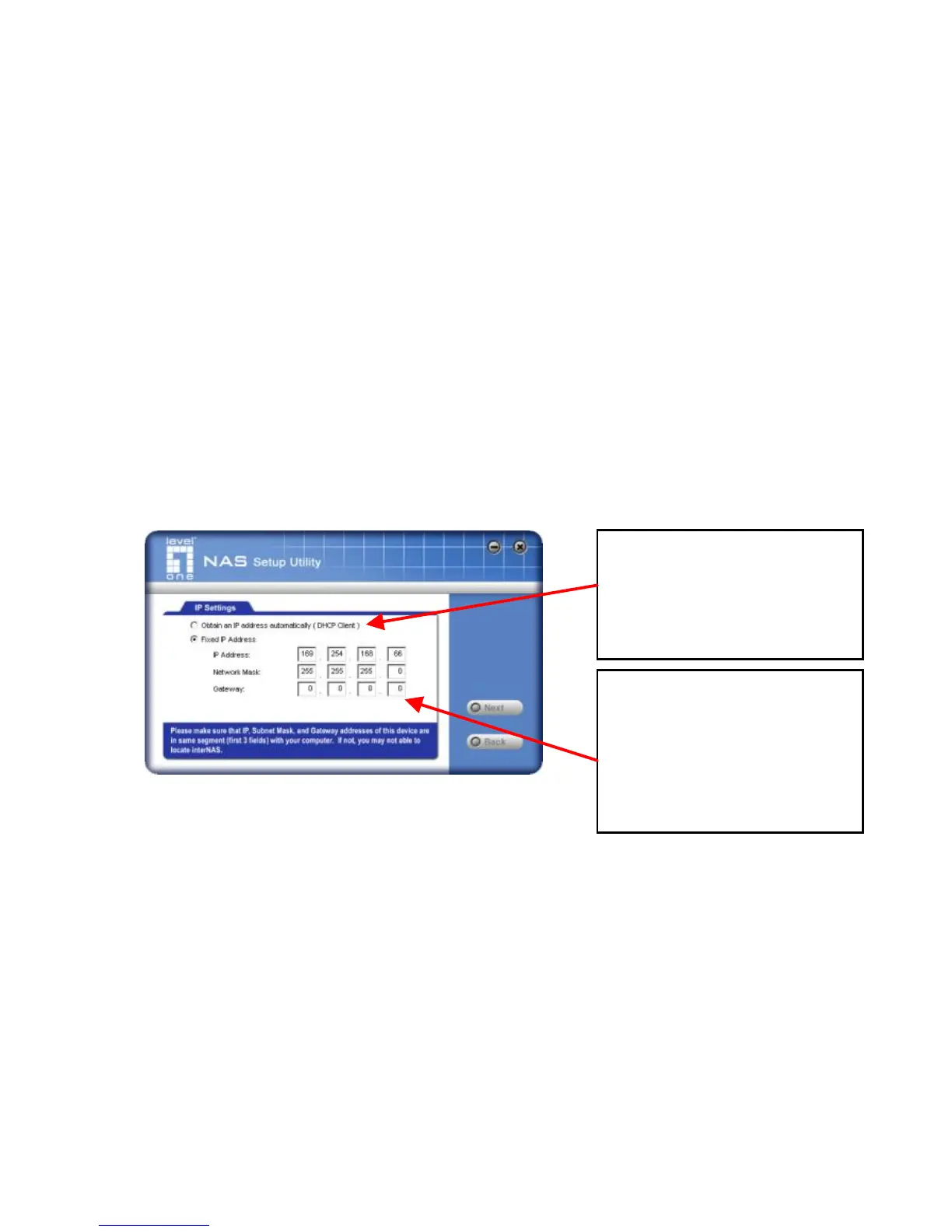
4. The following screen will then be displayed.
Obtain an IP
address automat-
ically
(DHCP Client)
Select this only if your LAN has a
DHCP Server. Normally, it is better for
servers to use a Fixed IP address

Select this if your LAN has
a DHCP server, otherwise
select Fixed IP
Address .
Suggested values are
compatible with your LAN.
Suggested IP address is
currently unused.

Other manuals for LevelOne GNS-2000