1. The Default Name is shown.
Change this if you wish.
2. Normally, this name should match
the Workgroup name used by PCs
on your LAN.
3. Select your time zone from the list.
4. Enter the local date (mm/dd/yyyy
format) and time.
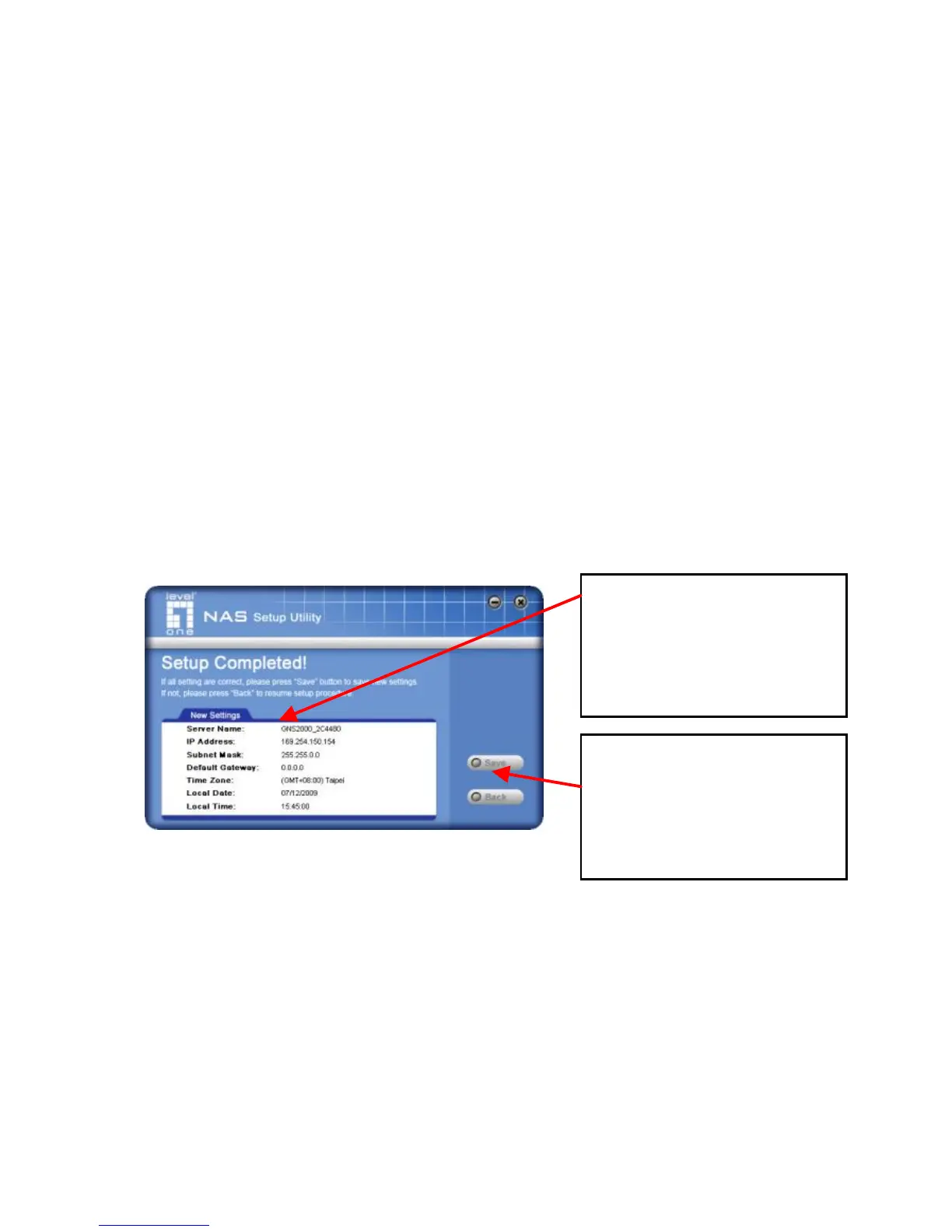
Click "Next" to continue. The following screen is displayed.
Click "Save" to save your data to the GNS-2000.
On the resulting screen, click "Exit" to close the Setup Utility.
The GNS-2000 is now operational.
All settings are displayed.
Please confirm they are
corrected, then click
“ Save” .
After saving, a final screen
will be displayed.
Click “ Exit” to close the
Setup Utility.



 To Next Page