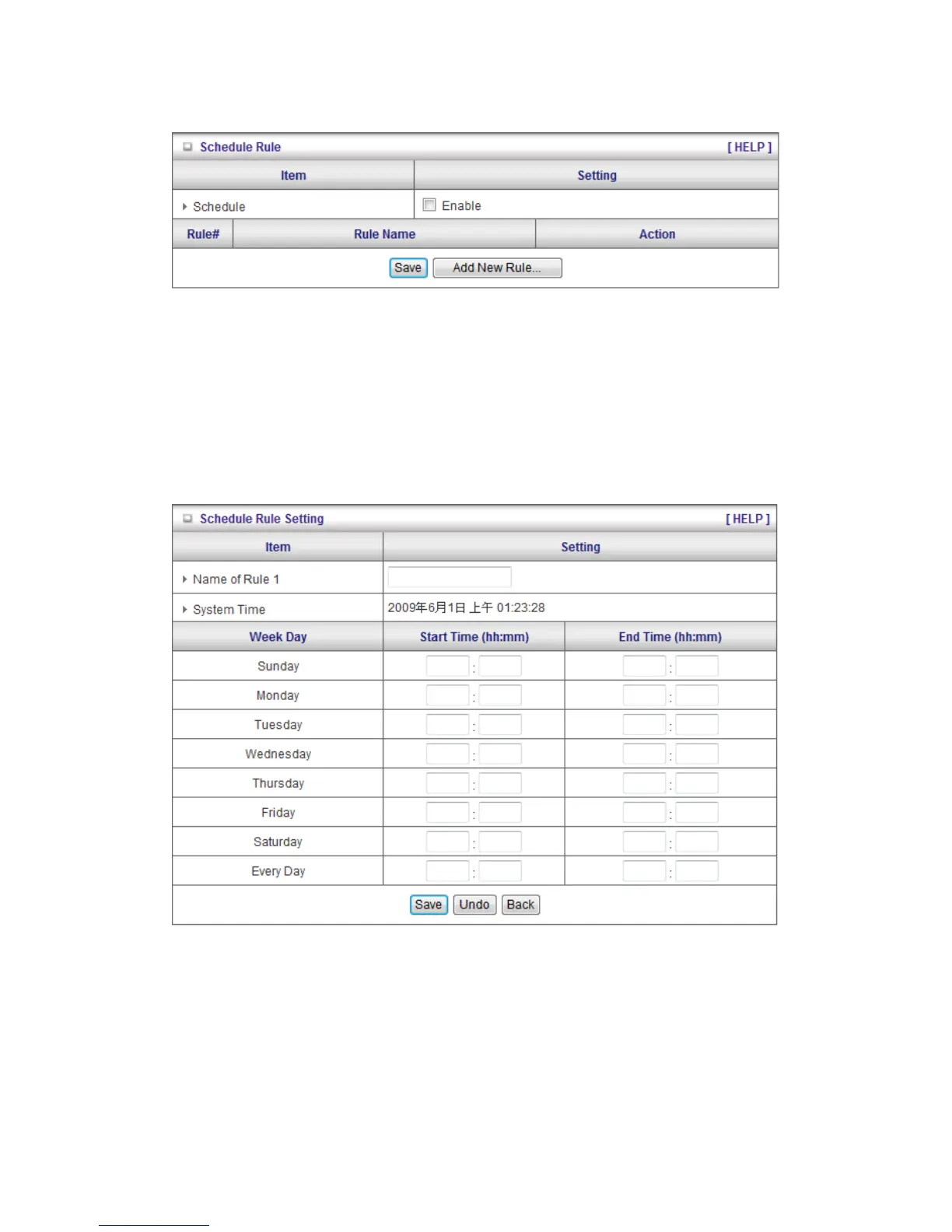
2.4.4.7 Schedule Rule
You can set the schedule time to decide which service will be turned on or off. Select the
“enable” item.
Press “Add New Rule”
You can write a rule name and set which day and what time to schedule from “Start Time” to
“End Time”. The following example configure “ftp time” as everyday 14:10 to 16:20
Schedule Enable
Selected if you want to Enable the Scheduler.
Edit
To edit the schedule rule.
Delete
To delete the schedule rule, and the rule# of the rules behind the deleted one will decrease












 To Next Page