Q&A 3 - Not recognized on computer
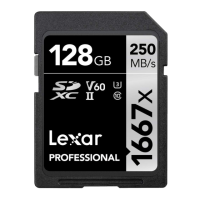
1. When inserting an SD card via UHS-II Card Reader or natively via the SD slot in
your laptop or desktop computer, make sure that the metal contacts face down and
point toward the computer. Do not force the media into the SD card slot, as this
might cause damage.
2. If you insert your card and it does not mount, remove the card and insert it again.
Sometimes the SD card will not mount properly if you insert the card too slowly or
too quickly. If the card still won't mount, you might need to reformat your SD card.
Please refer to the following guide to reformat an SD card on MAC:
https://support.apple.com/en-gb/guide/disk-utility/dskutl14079/mac
3. Connect the card to a computer with a UHS-II card reader. If the connection works
fine, check if the SD Formatter tool works normal. If you can format successfully,
insert the card into the camera to check if the card works. If you cannot format the
card, suggest contacting Lexar Technical Support for RMA process.
Q&A 4 – Why is my SD card not showing its full capacity?
1. Actual usable memory capacity may vary. 1GB equals 1 billion byte.
Standard capacity is not equal to the actual usable capacity. Since the capacity of
flash memory products is mostly calculated according to 1MB=1000KB,
1GB=1000MB, the operating system uses the binary algorithm, 1MB=1024KB,
1GB=1024MB. Therefore, there will be a difference between the actual usable
capacity and advertised capacity on the flash memory products. The actual capacity
is about 90% of the full capacity, and that is normal. For instance, the standard
capacity is 32GB, the actual capacity should be about 28.8GB. The standard
capacity is 64GB, the actual capacity should be about 57.7GB.
2. Some of the capacity is used for formatting and store specific functions, including
flash memory optimizations that maximize product performance and life, so users
cannot use this capacity to store files.
3. Check the card through a computer: you can check the disk management on the
computer. If it shows no allocation space, please delete the allocated one and format
the card with an SD Formatter tool. If you cannot format the card, suggest contacting
Lexar Technical Support for RMA process.


 To Next Page