TOUCH SCREEN
229
(a) Entering the Bluetooth phone
To use a hands−free system, you need to enter your phone
in the system. Once you registered it, you can make a
hands−free call.
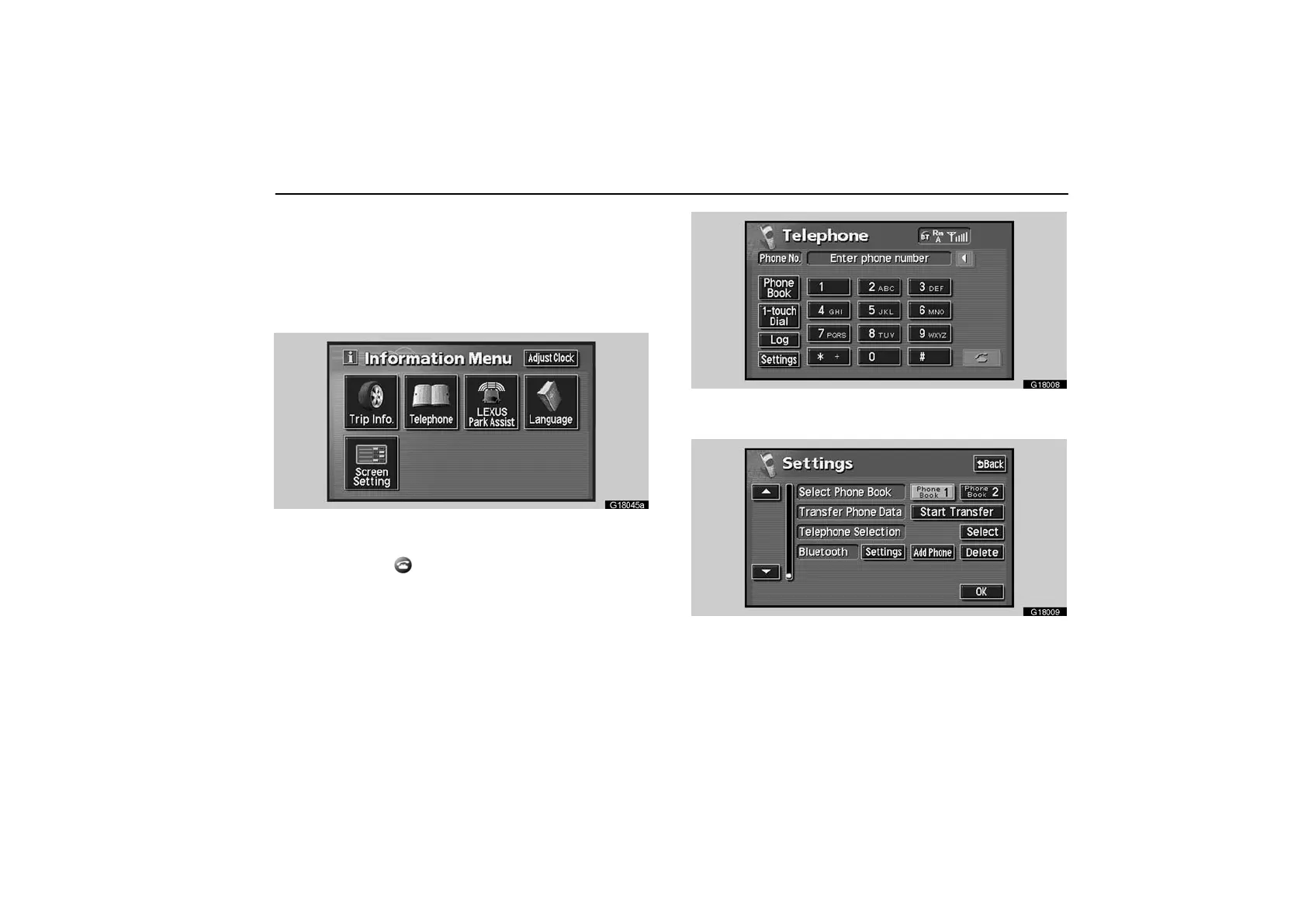
1. Push the “INFO” button to display the “Information
Menu” screen.
G18045a
2. Touch the “Telephone” switch to display “Telephone”
screen.
You can also push
of the telephone button to display this
screen when the vehicle is stopped.
G18008
3. Touch the “Settings” switch to display “Settings”
screen.
G18009
4. Touch the “Add Phone” switch to connect your cellular
phone to the system.



 To Next Page