73
GX460_QG_OM60T24U_(U)
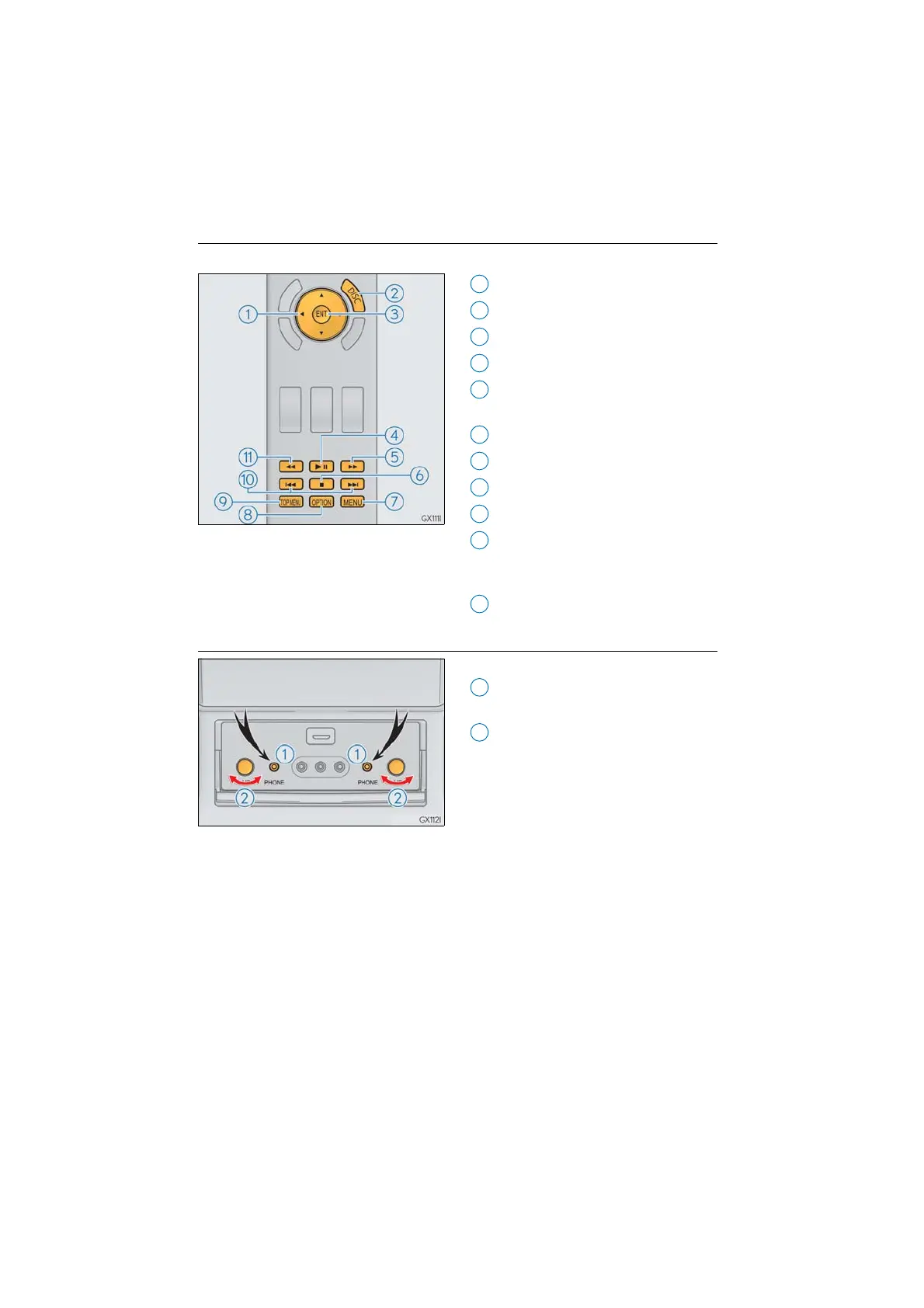
■ DVD video
Press “DISC” or select disc mode to display DVD video.
Selecting an icon
Turning on the DVD mode
Inputting the selected icon
Playing/pausing a disc
Fast forwarding a disc during playback
and forward slowly during pause.
Stopping a screen
Turning on the menu
Turning on the option screen
Turning on the title selection screen
Press to select a chapter
Press and hold to fast forward or
rewind a chapter
Rewinding a disc
■ Headphone jacks
To listen to the rear audio, use headphones.
To use the headphones, connect them
to the jack.
To adjust the volume.



 To Next Page