Topic 5
Driving Comfort
31
Audio System (without navigation system)
Owners of models equipped with a navigation system should refer to the “Navigation System
Owner's Manual”.
■ Basic operation
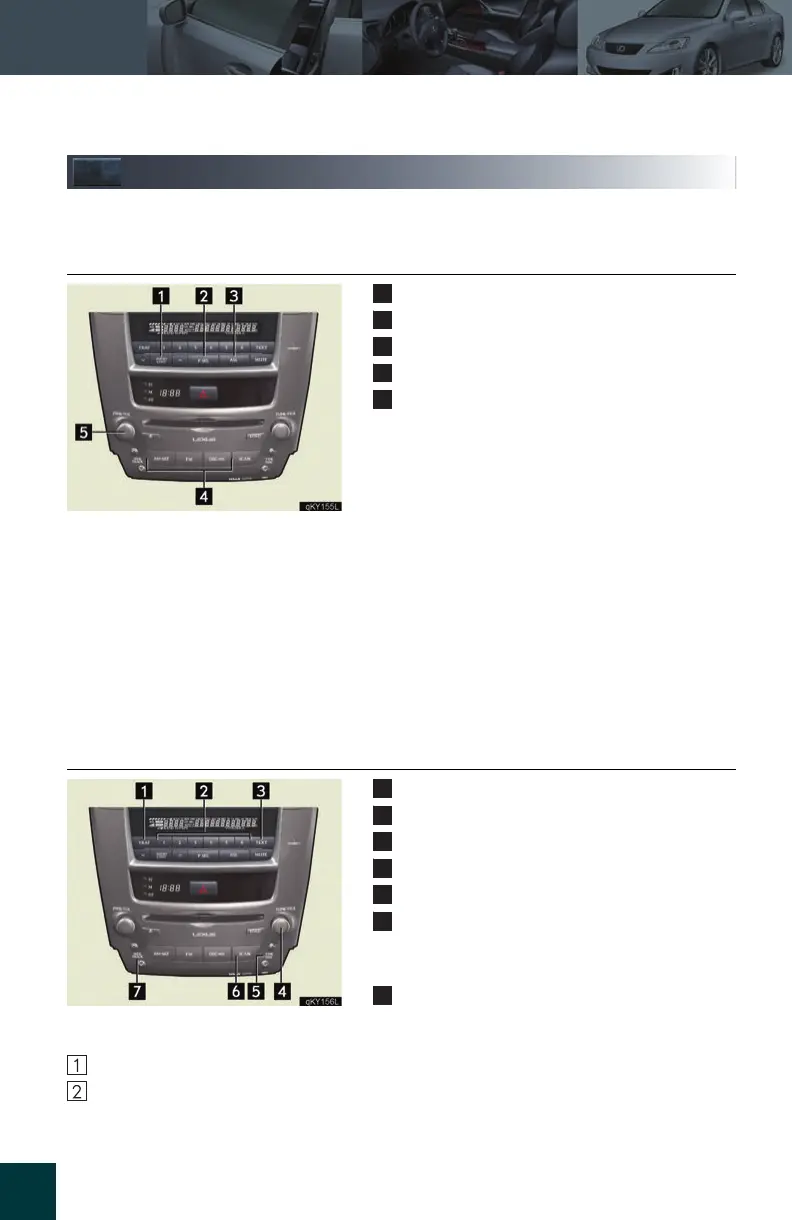
Sound quality modes
Listening position (if equipped)
ASL (Automatic Sound Levelizer)
Audio sources
Power/Volume
■ Audio sources
AMSAT: AM radio/Satellite radio*
FM: FM radio
DISC
AUX: CD player/Auxiliary audio device
*:
The optional Lexus genuine satellite tuner and antenna allows you to receive and play
XM satellite radio broadcasts. (Subscription is required. For detailed information, see
the Owner’s Manual.)
■ Radio
Traffic information
Station presets
Text messages
Radio tuner
RDS genre select
Scan
All radio stations: press
Preset radio stations: press and hold
Seek
■ Entering station presets
Select the desired station by using the tune, the seek or the scan function.
Press and hold one of the preset buttons (1~6) until you hear a beep, indicating that the
station is set.



 To Next Page