607
5-6. Using the hands-free phone system (for cellular phone)
5
Interior features
LS600hL_U(OM50D26U)
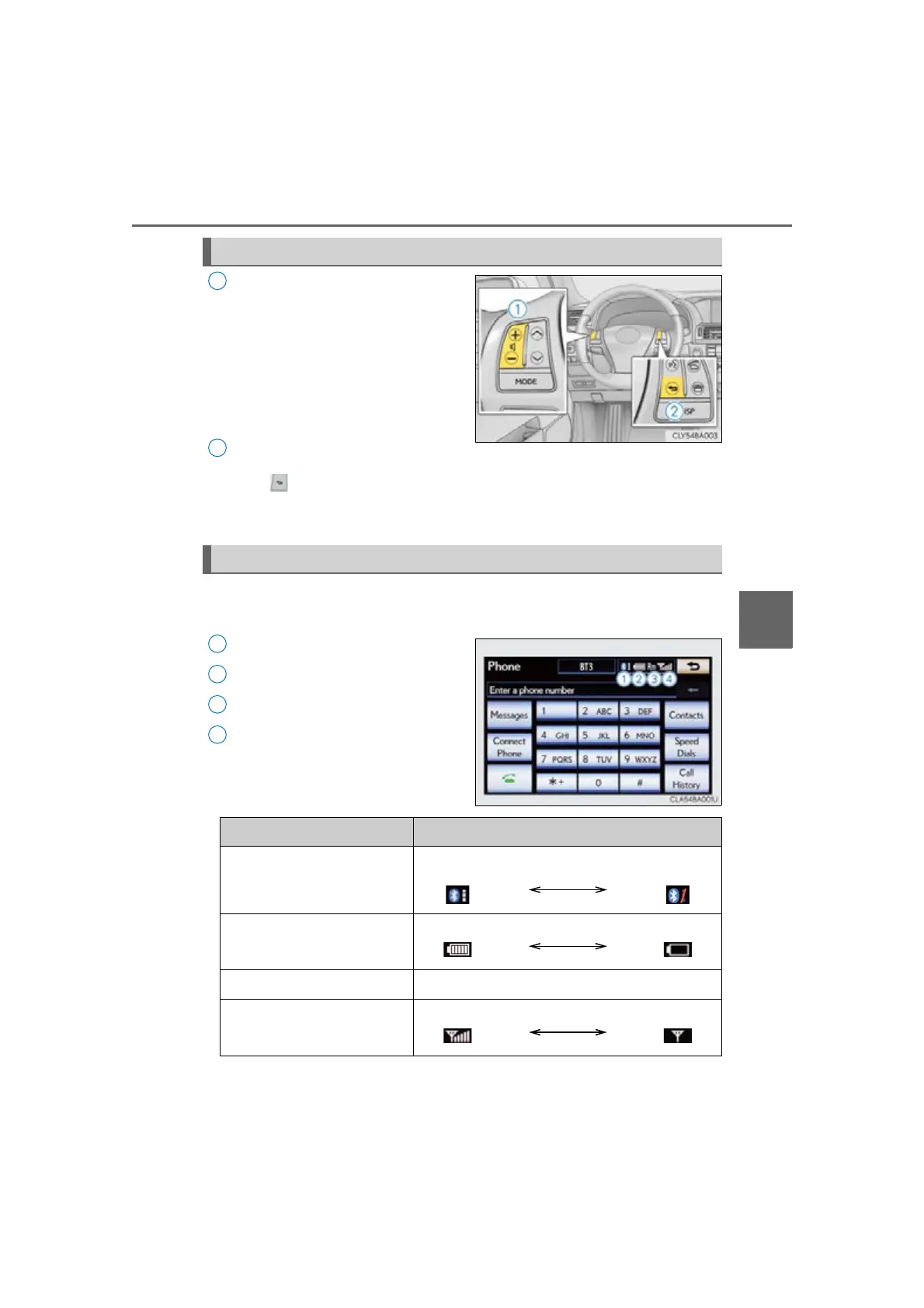
Adjusting the volume
Press the “+” switch to increase the
volume and the “-” switch to decrease
the volume.
Hold the switch in that position to con-
tinue increasing or decreasing the vol-
ume.
Back switch
Press .
To return to the previous screen.
You can check indicators such as signal strength and battery charge on
the “Phone” screen.
Connection status
Battery charge
Call area
Signal strength
Steering switch
1
2
Status display
1
2
3
4
Indicators Conditions
Connection status
Good
No
connection
Battery charge
Full Empty
Call area
“Rm”: Roaming area
Signal strength
Excellent Po or



 To Next Page
 Loading...











