162
6. TIPS FOR THE NAVIGATION SYSTEM
NX300h/NX200t_Navi_OM78105U_(U)
15.06.25 12:26
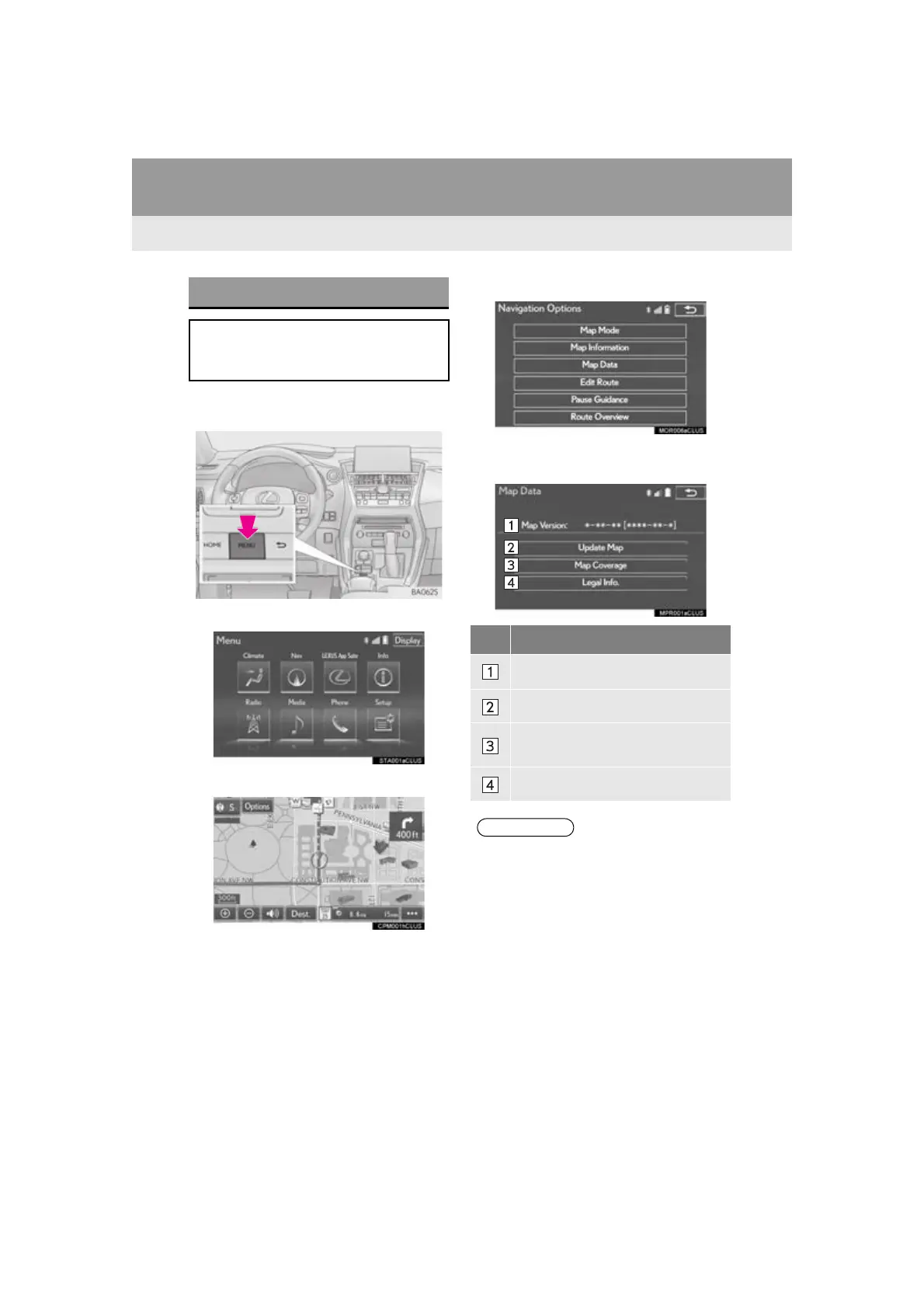
2. MAP DATABASE VERSION AND COVERED AREA
1 Press the “MENU” button on the
Remote Touch.
2 Select “Nav”.
3 Select “Options”.
4 Select “Map Data”.
5 Check that the map data screen is dis-
played.
MAP INFORMATION
Coverage areas and legal information
can be displayed and map data can be
updated.
No. Function
Map version
Select to update map.
Select to display map coverage ar-
eas.
Select to display legal information.
● Map data updates are available for a fee.
Contact your Lexus dealer for further
information.



 To Next Page
 Loading...




