249
2-4. Using other driving systems
2
When driving
■ The rear view monitor system can be operated when
The “POWER” switch is in ON mode and the back door is fully closed.
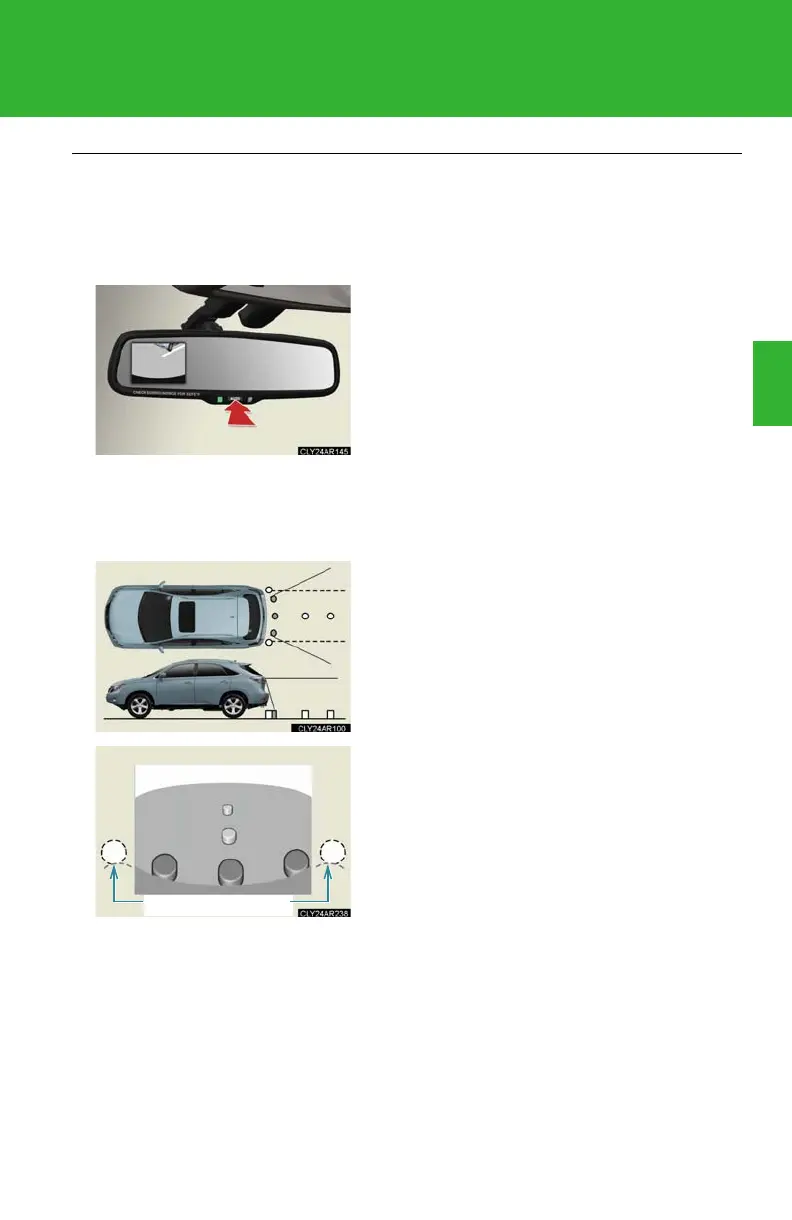
■ Switching the screen on/off
■ Displayed area
When the screen is displayed, press the
“AUTO” button on the inside rear view mirror
to switch the screen on/off.
Screen on: Green indicator comes on.
Screen off: Orange indicator comes on.
The auto anti-glare inside rear view mirror
will revert to the screen on each time the
“POWER” switch is turned to ON mode.
The area covered by the camera is limited.
Objects that are close to either corner of
the bumper or under the bumper cannot
be seen on the screen.
The area displayed on the screen may vary
according to vehicle orientation or road
conditions.



 To Next Page