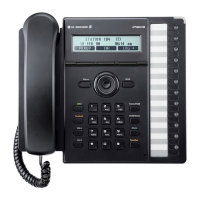
Keys Descriptionofkeys
1
NavigationControls:
Left:Usetogototheprevious menuinthesettingsmenu.
Up:UsetoviewCallLogwhenphoneisidle.
Down:UsetoaccessPhoneBookwhilephoneisidle.
2
OkButton:Usetoselecta currentitemorsavevalueinLCDMenuanduseto
retrieveaholdcallintheholdstate.
3
SettingsButton:UsetoaccesstheLCDMenufordisplayandmodificationofIP
Phoneconfiguration.
4
RedialButton:Dialsthelastnumberdialedbytheuser.
5
MuteButton:Interruptthemicrophoneinorderforthecaller nottohear.
6
Volume Controls: Regulates the volume of the voice of the headset, the
ringingtoneandtheloudspeaker.
7
SpeakerphoneButton:Setthe activecall toloudspeaker,allowing handsfree
use of the telephone device. The interchange betwee n headset and
loudspeakerdependsfromthevoicesettings.
8
Call Forwarding Button: In idle state, use to set the call forwarding
configuration.
Transferbutton:Incallstate,usetotransferyouractivecall.
9
DeleteButton: Inediting state,use todelete alette r infront ofthecursoror
clearentirestring.
Conference Button: In call state, initiates a conference call, joins calls in a
conference.
10
HoldButton:Placesanactivecallonhold.
11
BlindTransferButton:Initiatesablindcalltransfer.
12
TransferButton(Incallstate):Initiatesacalltransfer.
13
ConferenceButton:Initiatesaconferencecall,joinscallsinaconference.
14
DialPad:Usetodialnumbers.
3












 To Next Page