EasyManua.ls Logo

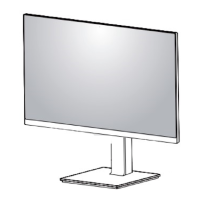
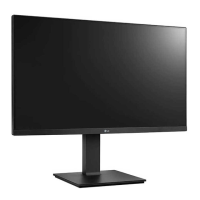
LG 27BN65Q - User Manual

LG 27BN65Q
31 pages
Print Icon
To Next Page IconTo Next Page
Loading...
* LG LED Monitor applies LCD screen with LED backlights.
Please read this manual carefully before operating your set and
retain it for future reference.
27BN65Q/27BN65QP
OWNER’S MANUAL
LED LCD MONITOR
(LED Monitor*)
www.lg.com
Copyright © 2020 LG Electronics Inc. All Rights Reserved.

Other manuals for LG 27BN65Q

Questions and Answers

  • L
    Lauren VegaAug 15, 2025
    What to do if nothing is displayed on my LG Monitor screen?
    • E
      Erik RossAug 15, 2025
      If nothing is displayed on your LG Monitor screen, first, ensure the power cord is correctly plugged into the power outlet. Then, check the power cable connection and press the power button. Verify that the connected input is enabled in the monitor's settings under Input. Also, check the signal cable between your PC and the monitor to ensure it's properly connected. Finally, the signals transferred from the PC (graphics card) may be out of the monitor's frequency range. Refer to the Product Specification section of this manual to set the appropriate frequency.
  • A
    Angela WillisAug 18, 2025
    Why is my LG 27BN65Q Monitor screen display unstable and shaky?
    • K
      kendra01Aug 18, 2025
      An unstable or shaky display on your LG Monitor, or shadow trails on images, can occur if the selected resolution is HDMI 1080i 60/50 Hz (interlaced). To resolve this, change the resolution to 1080p or the recommended resolution. Also, ensure that the graphics card is set to the recommended (optimal) resolution. Incorrect resolution settings may result in blurred text, a dimmed screen, a truncated display area, or misalignment of the display. If issues persist, you may need to contact the manufacturer of your computer or graphics card for assistance.
  • A
    austin83Aug 21, 2025
    What to do if there is no sound from the headphone port on my LG 27BN65Q Monitor?
    • A
      Amanda DiazAug 21, 2025
      If you're experiencing no sound from the headphone port on your LG Monitor: * First, make sure that the headphone port connections are properly made. * Try increasing the volume using the joystick on the monitor. * Finally, ensure that the audio output of your PC is set to the monitor you are using. Note that the settings may differ depending on your operating system.
  • A
    abarnettAug 25, 2025
    What to do if nothing is displayed on my LG Monitor?
    • G
      Greg BellAug 26, 2025
      If your LG Monitor screen is blank, ensure the power cord is securely plugged into the outlet. Also, verify the power cable connection and press the power button. Check that the connected input is enabled in the monitor settings. If the signal cable between your PC and the monitor is missing or disconnected, check the cable and reconnect it. Finally, if signals from the PC are outside the monitor's frequency range, refer to the product specifications in the manual to set the appropriate frequency.
  • D
    Denise BrooksAug 28, 2025
    How to fix no sound from the headphone port on my LG 27BN65Q?
    • H
      Hunter AndersonAug 28, 2025
      If there's no sound from the headphone port on your LG Monitor, ensure the headphone port connections are properly made. Try increasing the volume using the joystick. Also, set the audio output of your PC to the monitor you are using. Note that the settings may differ depending on your operating system.
  • C
    Corey ShannonAug 31, 2025
    How to prevent image sticking on my LG Monitor?
    • L
      lawrence15Aug 31, 2025
      Displaying a still image for a prolonged time may cause damage to the screen of your LG Monitor, resulting in the retention of the image. To extend the lifetime of the monitor, use a screensaver.
  • K
    Kevin GuerreroSep 3, 2025
    How to enable disabled features on LG 27BN65Q Monitor?
    • L
      Luis MartinezSep 4, 2025
      If some features are disabled on your LG Monitor, it may be because the OSD is locked. To resolve this, disable OSD Lock in the General settings.
  • Z
    zacharydavisSep 7, 2025
    How to fix 'Unrecognized monitor, Plug and Play (VESA DDC) monitor found' message on LG 27BN65Q Monitor?
    • E
      Erin BestSep 7, 2025
      If you see an 'Unrecognized monitor, Plug and Play (VESA DDC) monitor found' message on your LG Monitor, be sure to install the display driver from the LG website. Also, make sure to check if your graphics card supports the Plug and Play function.
  • S
    Shannon AdamsSep 12, 2025
    Why does image sticking occur even when my LG Monitor is turned off?
    • K
      Kimberly MurilloSep 12, 2025
      Displaying a still image for a prolonged time may cause damage to the screen of your LG Monitor, resulting in the retention of the image. To extend the lifetime of the monitor, use a screensaver.

LG 27BN65Q Specifications

General IconGeneral
Screen Size27 inches
Panel TypeIPS
Aspect Ratio16:9
Refresh Rate60 Hz
Contrast Ratio1000:1
sRGB Coverage99%
VESA Mount100 x 100 mm
Resolution2560 x 1440
Response Time5 ms
Brightness350 cd/m²
ConnectivityHDMI, DisplayPort
Viewing Angle178°

Related product manuals