1
ACCESSORIES
ACCESSORIES
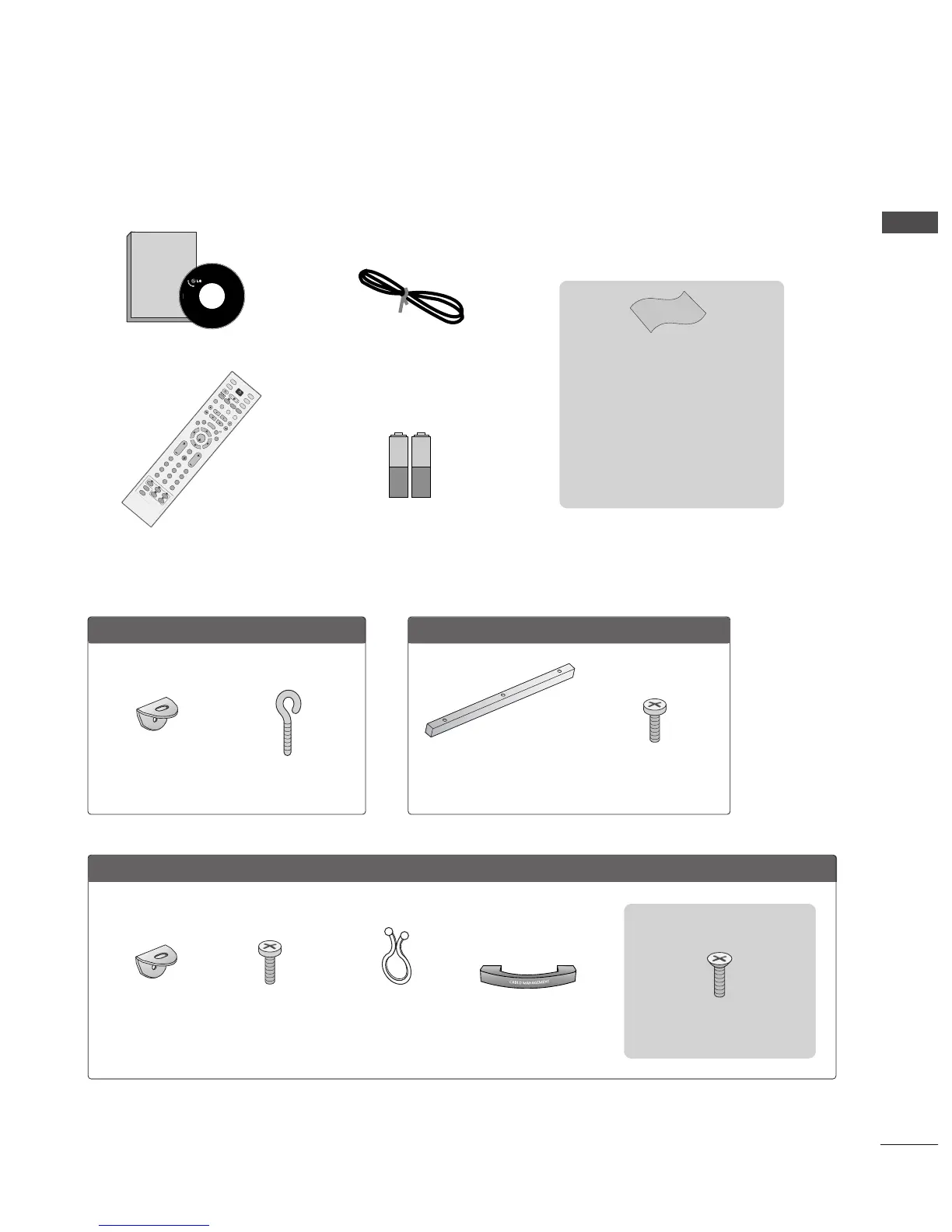
Ensure that the following accessories are included with your TV. If an accessory is missing, please contact the
dealer where you purchased the product.
Remote Control
Power Cord
Cable Management
2- TV Brackets
2- Wall Brackets
2-bolts
Twister Holder
Arrange the wires
with the twister
holder.
LLCCDD TTVV mmooddeellss
PPllaassmmaa TTVV mmooddeellss
4-bolts for stand assembly
Refer to p. 8
2266””,, 3322””,, 3377”” oonnllyy
2-Wall brackets
2-eye-bolts
5500PPBB6655
**
oonnllyy
Polishing Cloth
(except 26/32LC4
*
)
Polish the screen with the cloth.
Slightly wipe stained spot on the exterior
only with the cleansing cloths for the prod-
uct exterior if there is stain or fingerprint
on surface of the exterior.
Do not wipe roughly when removing stain.
Please be cautious of that excessive power
may cause scratch or discoloration.
3-bolts
Refer to p. 12
One desk-type stand fixture
protection cover
Refer to p. 12



 To Next Page