58
PICTURE CONTROL
PICTURE CONTROL
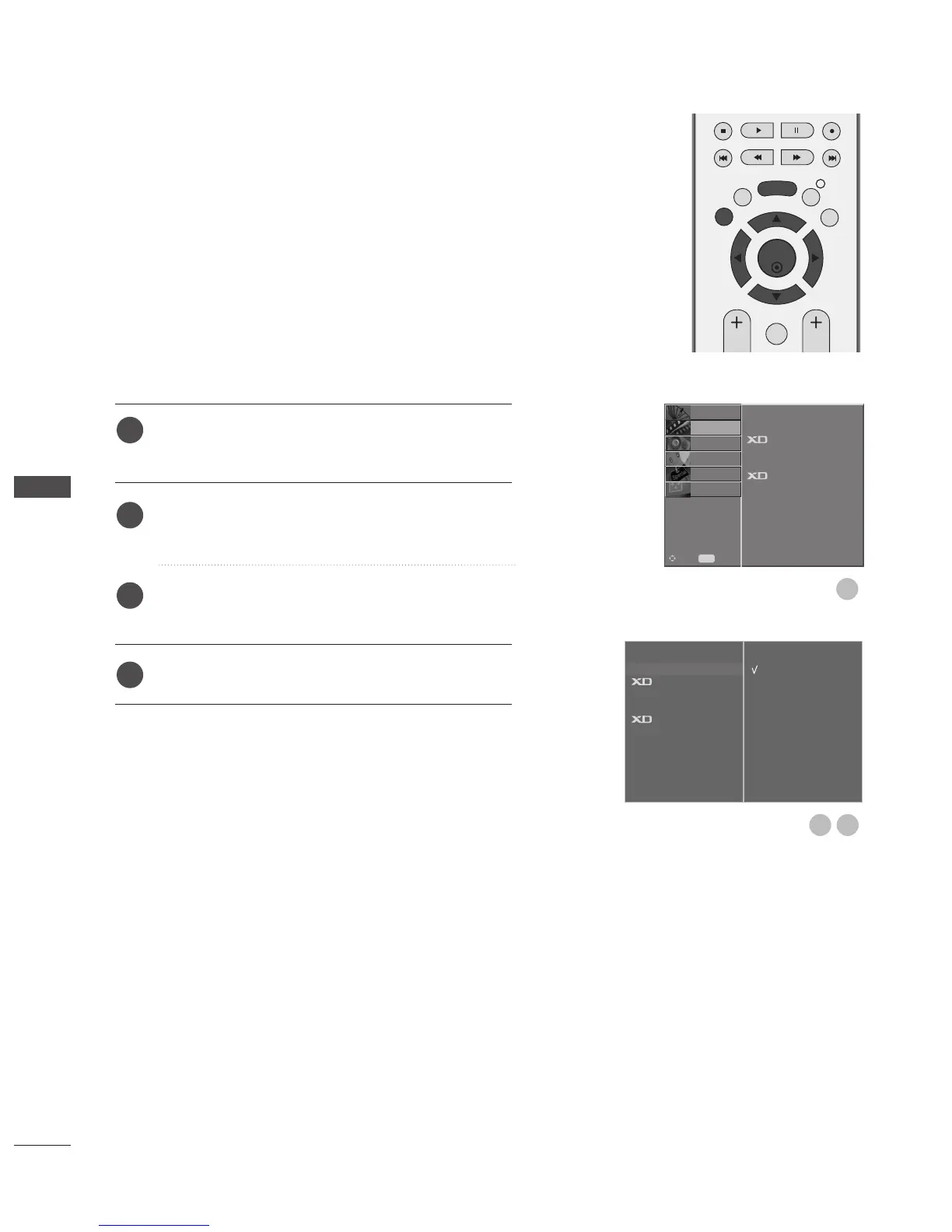
Press the MENU button and then
D
or
E
button to
select the PICTURE menu.
Press the
G
button and then
D
or
E
button to select
Colour Temperature.
Press the
G
button and then
D
or
E
button to select
either Cool, Medium, Warm, or User.
Press the EXIT button to return to normal TV viewing.
To initialize values (reset to default settings), select the
Cool option.
Choose one of three automatic colour adjustments. Set to
warm to enhance hotter colours such as red, or set to cool
to see less intense colours with more blue.
It’s available to use this function in User mode.
Auto Colour Tone Control (Warm/Medium/Cool)
Picture Mode
Colour Temperature
G
Advanced
Picture Reset
Demo
Cool
Medium
Warm
User



 To Next Page