A-7
SETTING UP THE TV
CAUTION
y
Do not move the TV by holding the cable
holders, as the cable holders may break,
and injuries and damage to the TV may
occur.
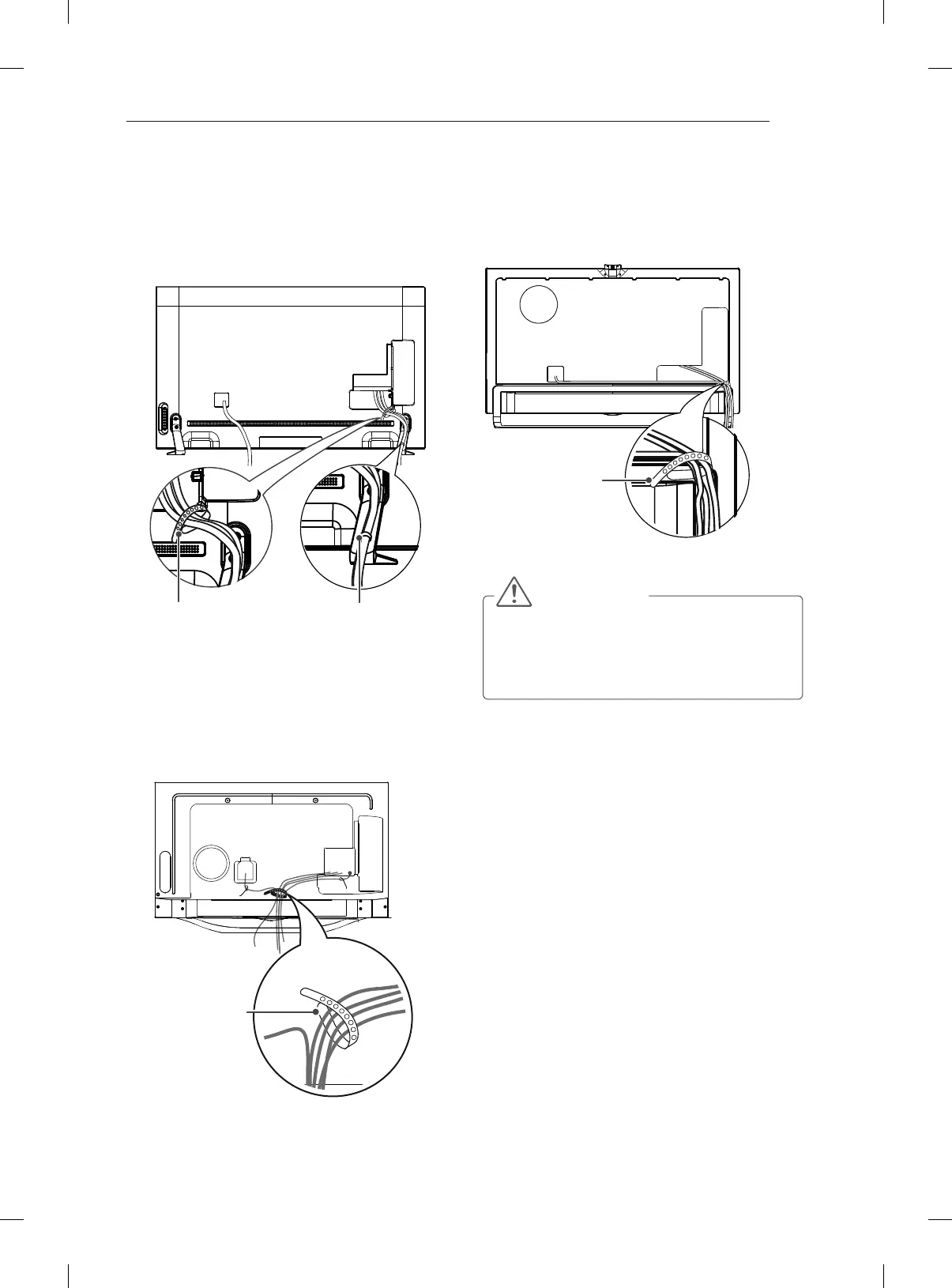
Cable Holder
1 Gather and bind the cables with the cable
holder on the back of the TV.
(Only LA868*)
(Only LA97**)
1 Gather and bind the cables with the cable
holder on the back of the TV.
Cable Holder
(Only LA965*)
1 Gather and bind the cables with the cable
holder on the back of the TV.
2 )L[WKH&DEOH0DQDJHPHQW¿UPO\WRWKH79
Cable Management
Cable Holder



 To Next Page