TV MENU
/
SETUP
(
PROGRAMME
)
66
TV MENU
SETUP(PROGRAMME)
■
MMoovviinngg aa pprrooggrraammmmee ((IInn AAnnaalloogguuee MMooddee OOnnllyy))
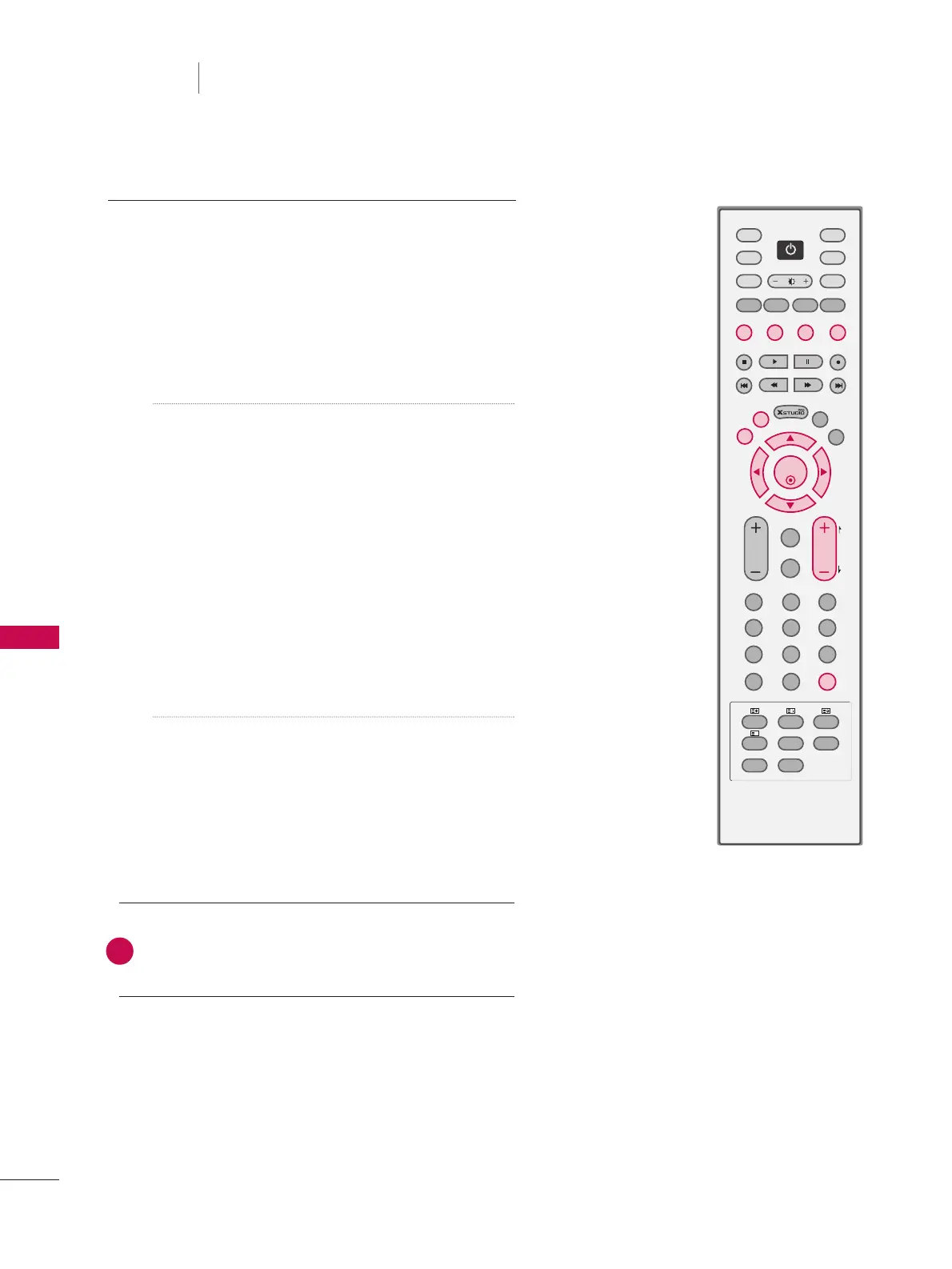
a. Select a programme to be moved with
DD EE FF GG
buttons.
b. Press the
YYEELLLLOOWW
button.
c. Move the programme to the desired programme
number with the
DD EE FF GG
buttons.
d. Press the
YYEELLLLOOWW
button again to release this
function.
■
Skipping a programme number
a. Select a programme number to be skipped with
DD
EE FF GG
buttons.
b. Press the
BBLLUUEE
button. The skipped programme
number turns to blue.
c. Press the
BBLLUUEE
button again to release the
skipped programme.
When a programme number is skipped it means that
you will be unable to select it using the
PPRR++
/
--
but-
ton during normal TV viewing. If you want to select
the skipped programme, directly enter the pro-
gramme number with the NUMBER buttons or select
it in the programme edit or table menu.
■
SSeelleeccttiinngg FFaavvoouurriittee PPrrooggrraammmmee
a. Select your favourite programme number with
DD EE
FF GG
buttons and then press the
FFAAVV
button. It
will automatically include the selected programme
into your favourite programmes list and a heart-
mark will appear in front of that programme num-
ber. You can store up to 20 programmes.
Repeatedly press the
FFAAVV
button to select stored
favourite programmes in normal TV viewing.
5



 To Next Page