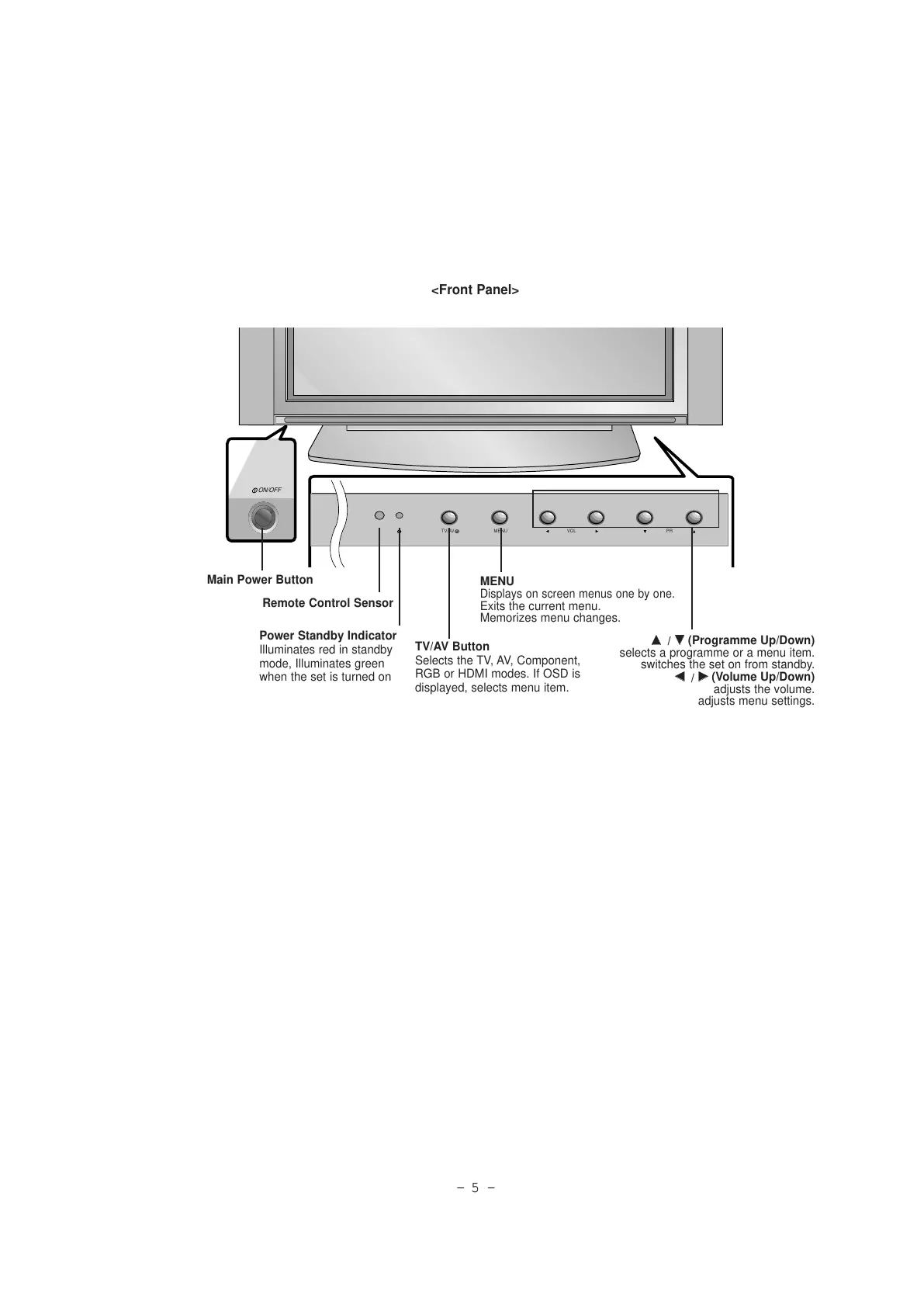
Main Power Button
Remote Control Sensor
TV/AV Button
Selects the TV, AV, Component,
RGB or HDMI modes. If OSD is
displayed, selects menu item.
MENU
Displays on screen menus one by one.
Exits the current menu.
Memorizes menu changes.
DD
/
EE
(Programme Up/Down)
selects a programme or a menu item.
switches the set on from standby.
FF
/
GG
(Volume Up/Down)
adjusts the volume.
adjusts menu settings.
Power Standby Indicator
Illuminates red in standby
mode, Illuminates green
when the set is turned on



 To Next Page