EasyManua.ls Logo

LG 43TNF5J - User Manual

LG 43TNF5J
142 pages
Print Icon
To Next Page IconTo Next Page
Loading...
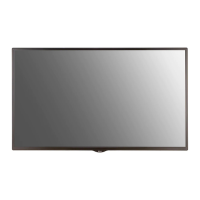
OWNER’S MANUAL
LG Digital Signage
(MONITOR SIGNAGE)
32TNF5J 43TNF5J 55TNF5J
www.lg.com
Copyright © 2021 LG Electronics Inc. All Rights Reserved.
Please read the user manual before using this product to ensure safe and convenient
use.

Questions and Answers

  • J
    Jessica GraySep 12, 2025
    Why is the screen’s brightness dark on my LG Digital Signage?
    • S
      Sarah MorganSep 12, 2025
      If the screen of your LG Digital Signage appears dark, try adjusting the brightness and contrast settings first. If that doesn't help, the backlight may need repair. Also, make sure to periodically clean the heat exchanger or filter in the enclosure.
  • A
    Andrea WhiteAug 25, 2025
    What to do if my LG 43TNF5J Digital Signage power suddenly turned off?
    • R
      Ronald PhillipsAug 25, 2025
      If your LG Digital Signage suddenly turned off, consider the following: * Check if the auto-off function is enabled in the time-related settings. * Ensure the power cord is properly connected, and the power source is adequately supplied. * Review the power control settings. * If the internal temperature of the enclosure rises, the power may shut down; clean the heat exchanger or filter periodically. * Verify the fan is working correctly. * Check the fan status in (SETTINGS) [General] [System Information] [Fan Status].
  • N
    ngarciaAug 25, 2025
    What to do if touch does not respond on LG 43TNF5J Digital Signage?
    • W
      Wendy ColonAug 26, 2025
      If the touch function isn't responding on your LG Digital Signage, try these steps: * If the USB cable between PC and product is not connected, remove the USB cable and connect it again after 10 seconds. * Ensure your PC’s power cord is firmly plugged into a power outlet and restart your PC. * If the system is down due to an unstable network, reconnect the LAN cable or restart your PC. * If your PC and product are not connected using a signal cable, check the signal cable connection. * If the product is powered off, check the product power. * Always connect the power cord to a grounded outlet. * Check if the screen is currently on. * A break or touch error may occur as below case.
  • W
    William BondSep 23, 2025
    Why does an after-image appear on my LG 43TNF5J when turned off?
    • H
      Helen KingSep 23, 2025
      If an after-image appears when your LG Digital Signage is turned off, use the screen-saver function. This is normal for display products.
  • M
    marisa99Sep 12, 2025
    Why did my LG 43TNF5J Digital Signage power suddenly turn off?
    • M
      Michelle RodriguezSep 12, 2025
      If your LG Digital Signage suddenly turned off, check if the auto-off function is activated in the time-related settings. Ensure the power cord is properly connected to a functioning power source. Review the power control settings and periodically clean the heat exchanger or filter. You can also view the fan status in (SETTINGS) [General] [System Information] [Fan Status].
  • J
    Jacob SmithSep 16, 2025
    What does ‘Unknown Product’ mean on LG Digital Signage?
    • J
      james21Sep 17, 2025
      If the ‘Unknown Product’ message appears when your LG Digital Signage is connected, check if the driver of your PC (graphics card) has been installed. Also, verify if the plug and play function is supported by the PC (graphics card) user manual.
  • O
    owolfSep 5, 2025
    How to fix PC BIOS configuration screen not displayed correctly on LG 43TNF5J?
    • B
      Bonnie FrazierSep 5, 2025
      On some PCs, the BIOS configuration screen may not display correctly because the atypical aspect ratio is not supported before the graphics card driver is configured. To access the PC BIOS configuration screen, please connect a standard aspect ratio (4:3 or 16:9) monitor, then perform the BIOS configuration.
  • M
    Michael YatesSep 5, 2025
    How to correct touch location on LG 43TNF5J Digital Signage?
    • W
      Wanda SchroederSep 6, 2025
      If the location of a touch does not correspond to the touch coordinates on your LG Digital Signage, this may occur when the touch screen is not calibrated properly. Change your tablet PC settings.
  • C
    colleengreenSep 18, 2025
    Why is multi-touch not responding on my LG Digital Signage?
    • J
      Joseph MaldonadoSep 18, 2025
      If multi-touch is not responding on your LG Digital Signage, make sure that you are using content that supports multi-touch points. If the content supports multi-touch, remove the USB cable and reconnect it after 10 seconds. You can also try running the content again or restarting your PC.
  • P
    pam94Aug 30, 2025
    How to resolve unstable or mono-colored screen on LG 43TNF5J?
    • E
      Erin CalderonAug 30, 2025
      To resolve an unstable or mono-colored screen on your LG Digital Signage, check the connection status of the signal cable. Or, re-insert the PC graphics card.

LG 43TNF5J Specifications

General IconGeneral
BrandLG
Model43TNF5J
CategoryDigital Signage
LanguageEnglish

Related product manuals